OneLogin - Single Sign-On (SSO)
Overview
OneLogin, now part of One Identity, is a cloud-based Identity and Access Management (IAM) platform that simplifies secure access to apps, devices, and data through SSO, MFA, and user lifecycle automation, ideal for enterprises reducing login friction while enforcing Zero Trust.
How to position
Onelogin is a mature, app-centric cloud IAM platform excelling in seamless SSO/MFA for 5,000+ SaaS/legacy apps. It focuses on replacing Active Directory, by offering a bidirectional sync with existing Active Directories. It is ideal for customers that want to manage their identities from a cloud-based portal with a lot of automation included, without the heavy on-prem infrastructure. Next to that, Onelogin also offers a CIAM product. This is for companies that want to manage identities for applications they are offering. So, software companies are also a nice target to position OneIdentity Onelogin
Core Features
Authentication
- SSO: Federates SAML/OIDC across 7,000+ apps from a unified portal, enabling seamless access without repeated logins.
- MFA: Supports OTP, push notifications, biometrics with risk-based prompts for adaptive security.
- Vigilance AI: Uses ML/UEBA to score login risk from behavior, geo, and device signals, triggering step-up authentication.
- SmartFactor: Dynamically suppresses MFA for low-risk logins (trusted device/location), resuming for anomalies like unusual IP—balances UX and security.
Endpoint Protocols
- vLDAP: Cloud LDAP proxy for legacy apps (bind/search, groups); eliminates on-prem servers.
- RADIUS: Authenticates VPN/NAS (IPsec/802.1X) with OTP, roles, and VSA attributes.
- RDG/Access: Gateway for RDP/VNC/SSH with MFA enforcement; mobile/desktop clients apply policies.
- Mobile/Desktop: Certificate based authentication
Management & Lifecycle
- Insights: Dashboards track logins, risk events, and usage patterns for proactive governance.
- Sandbox: Tests provisioning configs safely without production impact.
- APIs: REST/SCIM enable custom integrations and workflows for flexibility.
- Lifecycle Management: Automates provisioning/deprovisioning/entitlements across AD/SaaS based on roles/attributes; includes kill switches for instant offboarding.
Feature Overview
Single Sign-On
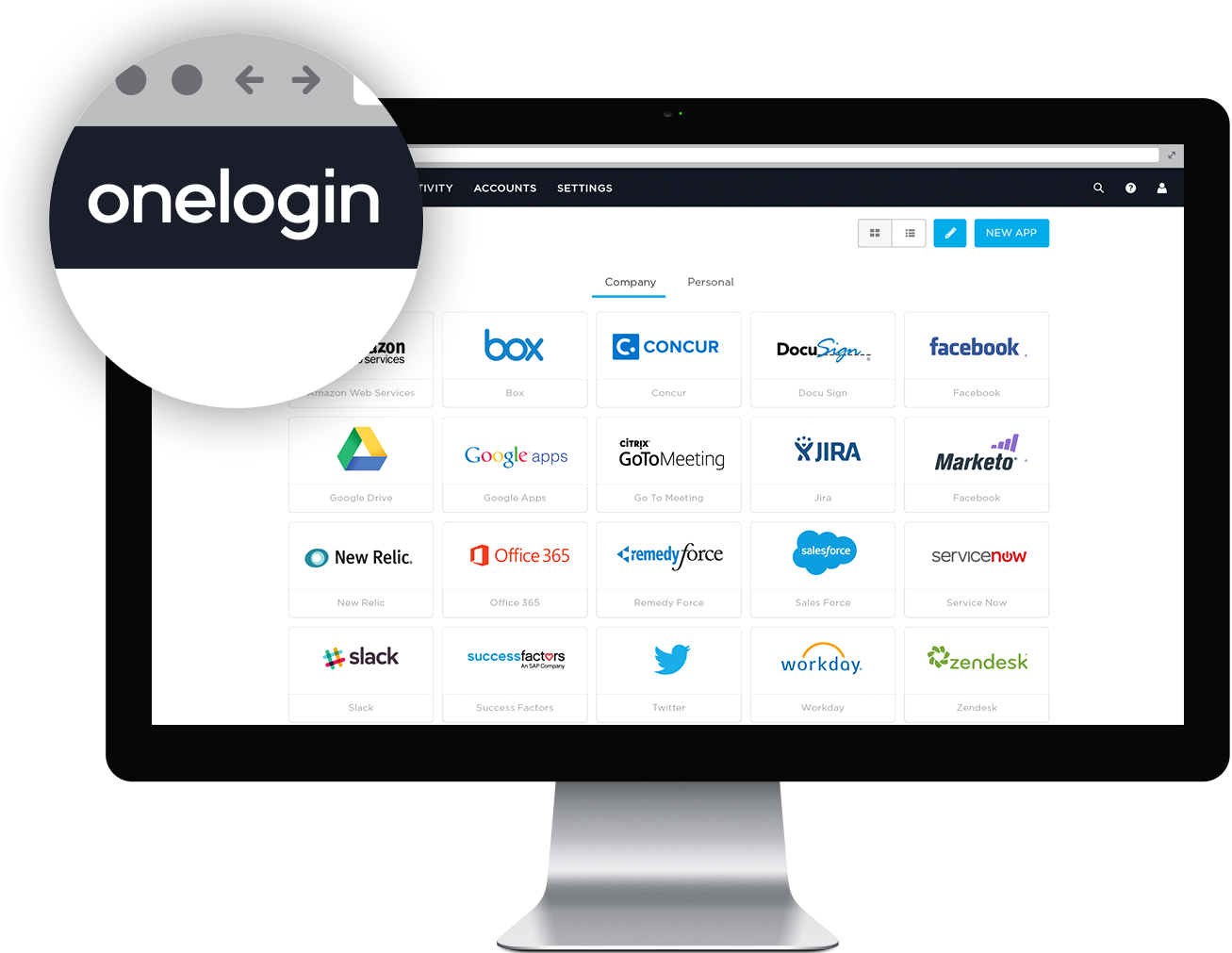
- With single sign-on users only have to enter one set of credentials to access their web apps in the cloud and behind the firewall – via desktops, smartphones and tablets.
- OneLogin's policy-driven password security, multi-factor authentication, and context aware access management ensure that only authorized users get access to sensitive data.
Advanced Directory
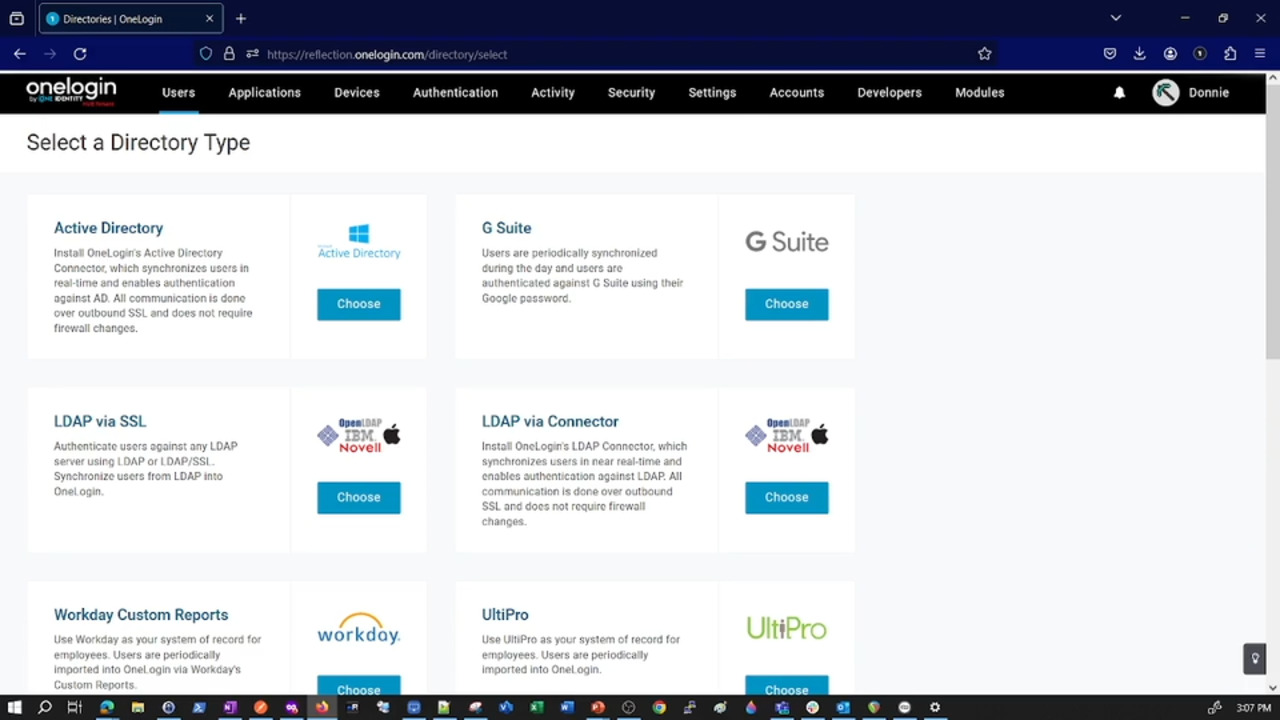
- Synchronize users from multiple directories such as Workday, Active Directory, LDAP, G Suite and others with OneLogin
- OneLogin’s Trusted Experience Platform™ acts as your secure directory in the cloud with an intuitive web-based interface that allows you to manage users, their manager relationship, authentication policies and access control.
- Users are synchronized in real-time, which means that creates, updates, deletes and suspends are pushed from AD or Google to OneLogin and other apps within seconds.
Onelogin Desktop

- Users log in once and have access to all the apps in their OneLogin Portal as well as SAML-enabled desktop apps. No need to sign in again. Users access apps with passwordless authentication.
- OneLogin Desktop is a client application for Windows and macOS that enables seamless, secure access to SSO-enabled applications and the OneLogin portal without repeated credential entry. It supports passwordless authentication through device certificates for trusted machines.
- Users install the lightweight tray app, log in once with their OneLogin credentials, and gain persistent access to browser-based SSO apps. Desktop Pro extends this with OS-level login using OneLogin passwords (replacing local passwords), certificate-based MFA, and MDM deployment via Jamf/AirWatch for remote wipe/revocation
- The app issues unique per-device certificates for strong auth, binding sessions to hardware; admins manage enrollment, policies and revocation centrally. Shared workstation mode supports multiple users per device without password sharing.
Identity Lifecycle Management
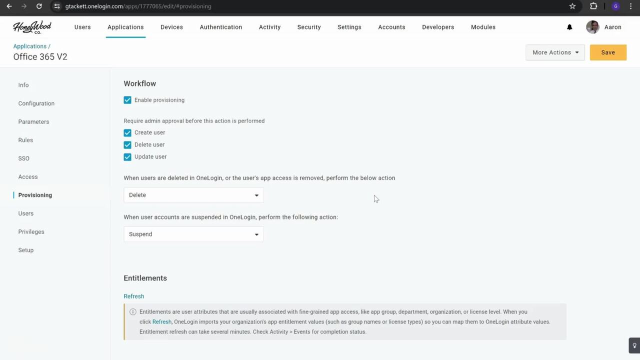
- Streamline User Management Across Applications in Real-Time
- Automate user provisioning with onboarding and offboarding processes to reduce human involvement and streamline access control based on role, department, location, title and other attributes
- It triggers actions on user events (create/update/suspend/delete) with rules for attribute mapping, group assignments, and custom entitlements – e.g. new hires get Salesforce access based on role/department. Admin approval workflows and application-specific rules handle complex scenarios, while bidirectional sync acts as a “kill switch” for immediate offboarding.
Smartfactor
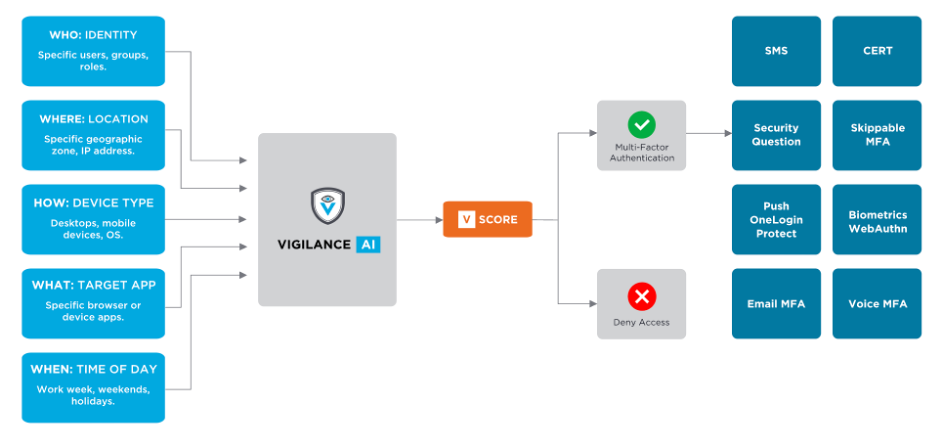
- **OneLogin’s SmartFactor Authentication **uses machine learning to analyze a broad range of inputs, such as location, device, and user behavior, to calculate a risk score and determine the most appropriate security action to take for each login attempt.
- Vigilance AI analyzes login context, location, device fingerprint, time, behavior patterns, IP reputation to generate a risk score for each attempt. Low-risk logins (e.g. from trusted office device during business hours), bypass extra factors; high-risk ones (unusual geo, Tor usage) trigger step-up authentication
- **Smart MFA **suppresses OTP/push prompts once baseline behavior establishes, resuming if anomalies appear, balancing US with protection against phishing/brute-force. Smart Access denies high-risk logins outright, configurable per app or portal.