Sophos Email Security
Identity Email Security
Overview
Sophos Email Security delivers comprehensive cloud-based protection against advanced email threats and data loss for organizations using Microsoft 365, Google Workspace and other services. It integrates AI-driven defenses with MDR/XDR for unified management and response. Compatibility spans all major email providers via MX redirection or APIs.
Sophos Email Security functions as an all-in-one gateway solution with over 20 AI/ML models, including NLP for threat detection across inbound and outbound traffic. It enhances native protections in M365 and Google Workspace without disruption, offering visibility into email alongside endpoint and network threats via Sophos Central. The platform supports email continuity through features like emergency inboxes and post-delivery actions.
How to position
- Target mid-market and SMBs already using Sophos endpoint or Microsoft ecosystem
- MSPs managing hybrid environments
- M365/Google Workspace users needing phishing/BEC defense (cross-sell opportunities with Onespan/JumpCloud)
- Upsell by bundling with Sophos MDR/XDR for automated response
- Talk about MDR to fully outsource everything security-related
- Manage everything in one portal: Sophos Central (EDR, Email, ZTNA,...)
- Nice addition for Microsoft partners that want to position themselves as a security player
Core Features
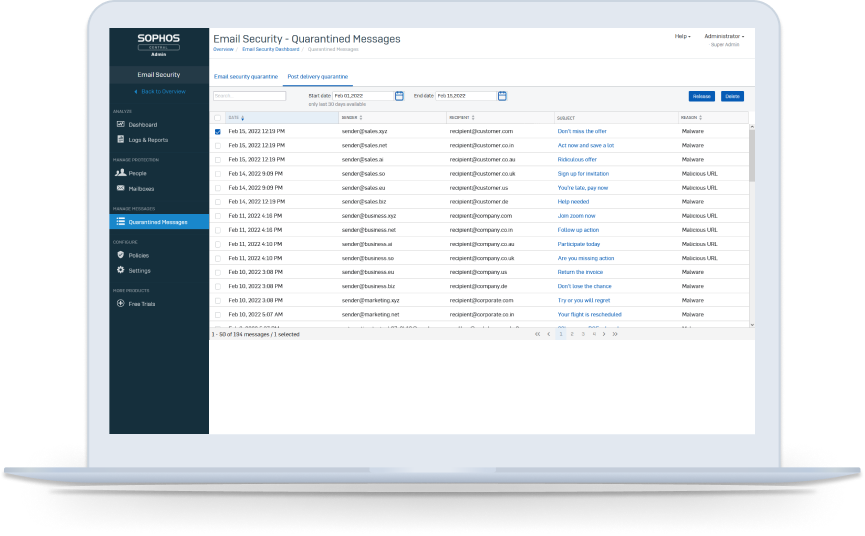
- Anti-spam filters: Automatically sorts out unwanted emails and junk, keeping your inbox clean and focused on important messages
- Malware scanning: Checks every email for viruses or harmful files attached, stopping them before they reach your computer
- Cloud Sandbox: Runs suspicious attachments or links in a safe virtual "test area" in the cloud to see if they misbehave, without risking your device
- Malicious URL Detection: Spots dangerous web links in emails that could lead to scams or malware sites
- Time-of-click URL rewriting: Changes links in emails so they go through a safety check when you click them later, blocking bad ones even if they hide at first
- Reputation analysis: Rates senders based on their track record. If a source is known for trouble, the email gets flagged or blocked
- Header anomaly detection: Looks at hidden email details for anything fishy, like forged origins that scammers use
- SPF/DKIM/DMARC: Verifies if emails truly come from who they claim, like a digital ID check to prevent fakes
Feature Overview
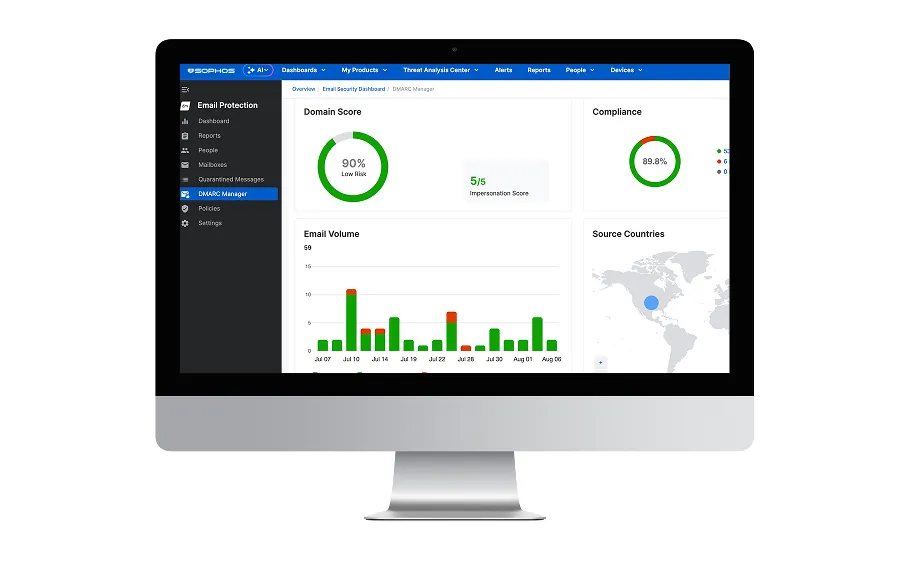
- Advanced email threat protection and data security compatible with all email services: Works seamlessly with any email provider by rerouting traffic or connecting directly, shielding against sophisticated hacks and leaks no matter your setup
- Prevent data loss with DLP: Uses Data Loss Prevention to scan and block sensitive info like passwords or credit cards from leaving in emails
- Encrypt messages and add a digital signature to verify sender identity: Scrambles email content so only intended readers can open it, plus adds a secure "signature" proving the sender is real
- Facilitate positive security awareness culture by using Phish Threat: Runs fake phishing tests to train employees playfully, helping everyone spot tricks and build smarter habits over time
- Impersonation phishing protection with natural language processing, display name analysis, look-alike domain checks: AI reads email words like a human to catch sneaky fakes pretending to be legitimate companies; checks sender names and tiny domain tricks (like rnicrosoft.com)
- Multi-rule DLP policies for groups and individual users: Sets custom "no-send" rules for teams or people, tailored to their roles (like blocking health data for HR but not doctors)
- Content control lists: Pre-made lists flag money details, secret files, medical records or personal IDs like SSNs automatically
- Enforced TLS encryption: Forces secure connections for all emails in transit
- S/MIME: Standard way to digitally sign and encrypt emails for trusted exchanges
- Sender Authentication: Double-checks who sent the email through multiple proofs
- Push-based attachment and message encryption: Auto-encrypts files or whole emails before sending, delivered securely to recipients
- Pull-based full portal encryption: Lets recipients log into a safe web portal to view sensitive emails, keeping them off risky devices
- Microsoft 365 mailflow rules API integration: Plugs into M365 to enforce rules without changing your setup
- API integration for post-delivery message clawback: Reaches into M365 after delivery to yank back or quarantine risky emails already received
- Inbound Message Scanning: Inspects incoming emails for threats before they hit your inbox
- Outbound Message Scanning: Checks your sent emails to stop leaks or policy breaks
- Emergency Inbox: Backup email access if your main service goes down, keeping business running
- Admin and user quarantine: Holds suspicious emails in a review area - admins oversee all, users manage their own
- Admin and user allow/block lists: Lets you or users whitelist good senders or blacklist bad ones personally
- Inbound email banners: Adds warning tags like "External Sender" to help you stay cautious