JumpCloud MDM
JumpCloud UEM
 AssetsMobile Device Management
Overview
JumpCloud Unified Endpoint Management (UEM) is a cloud-native endpoint management platform designed to unify device management, identity governance, and secure access across heterogeneous IT environments. Operating as a component of JumpCloud's broader Open Directory Platform, UEM enables organizations to seamlessly manage macOS, Windows, Linux, iOS, iPadOS, and Android devices from a single pane of glass, eliminating the operational complexity inherent in managing diverse operating systems and deployment scenarios
Unlike traditional endpoint management solutions that evolved from enterprise-first architectures, JumpCloud UEM was purpose-built for organizations operating in cloud-first, multi-OS environments where agility, simplicity, and cross-platform visibility take precedence over legacy on-premises constraints. The platform integrates critical capabilities (device provisioning, patch management, software deployment, remote assistance, asset tracking, and conditional access policies) into a unified console that minimizes administrative overhead while maintaining institutional-grade security controls.
Positioning
Target customers, verticals and low-hanging fruit
Primary Market Segment
JumpCloud UEM is explicitly designed for small-to-medium-sized enterprises (SMBs and mid-market organization). The platform deliberately sidesteps enterprise complexity in favor of operational elegance: a critical distinction that shapes both its feature set and user experience design
Target Customer Profile
Organizations deriving the greatest value from JumpCloud UEM share common characteristics: heterogeneous IT environments, security-centric operations, multiple office locations, distributed or hybrid workforces, and reliance on non-Microsoft identity ecosystems. Target buyers typically lack dedicated IT teams for specialized functions and require their IT generalists to simultaneously manage user provisioning, device deployment, security policies, and access controls.
Verticals
Professional Services Firms
Multi-OS support (macOS for creatives, Windows for finance, Linux for developers) in single-tenant environments; simplified user lifecycle management during project-based hiring cycles
Education & EdTech
Zero-touch enrollment reduces IT touchpoints; support for diverse student/faculty device types (BYOD + corporate-owned); compliance reporting streamlines institutional audits
SaaS & Tech Companies
Native Linux support, passwordless authentication integration, and API-first architecture appeal to organizations standardizing on cloud infrastructure and non-Microsoft stacks
Organizations dependent on Google Workspace
Organizations using Google Workspace as their HR/identity hub benefit from seamless integration without forced Microsoft dependency; JumpCloud extends these identities to device management
Specific Low-hanging fruit use cases
- Active Directory Replacement/Migration: Organizations using on-premises AD who want to eliminate infrastructure costs, maintenance burden, and licensing complexity. JumpCloud provides a cost-effective AD alternative requiring zero hardware investment
- Multi-Location Remote Workforce Management: Distributed organizations with employees across geographies; JumpCloud eliminates the need for complex VPN architectures and location-specific device management workflows
- Heterogeneous OS Environments: Teams mixing Windows, macOS and Linux devices historically required separate management tools or forced standardization. JumpCloud's unified approach reduces point-solution sprawl and vendor management overhead
- MSP Client management at scale: Managed service providers serving 50-500 SMB customers benefit from JumpCloud for MSP's Multi-Tenant Portal, enabling single-console visibility across entire customer bases with integrated billing and PSA connections
- Organizations needing passwordless authentication with minimal complexity: JumpCloud Go's hardware-backed, phishing-resistant authentication removes password management friction while maintaining device-bound security without complex infrastructure changes.
Core Features
Cross-platform device management foundation
JumpCloud UEM provides unified control across five major operating systems without requiring separate management console deployments or operator context-switching. The architecture treats each OS as a first-class citizen rather than bolting compatibility onto a Windows-centric design.
Device Coverage:
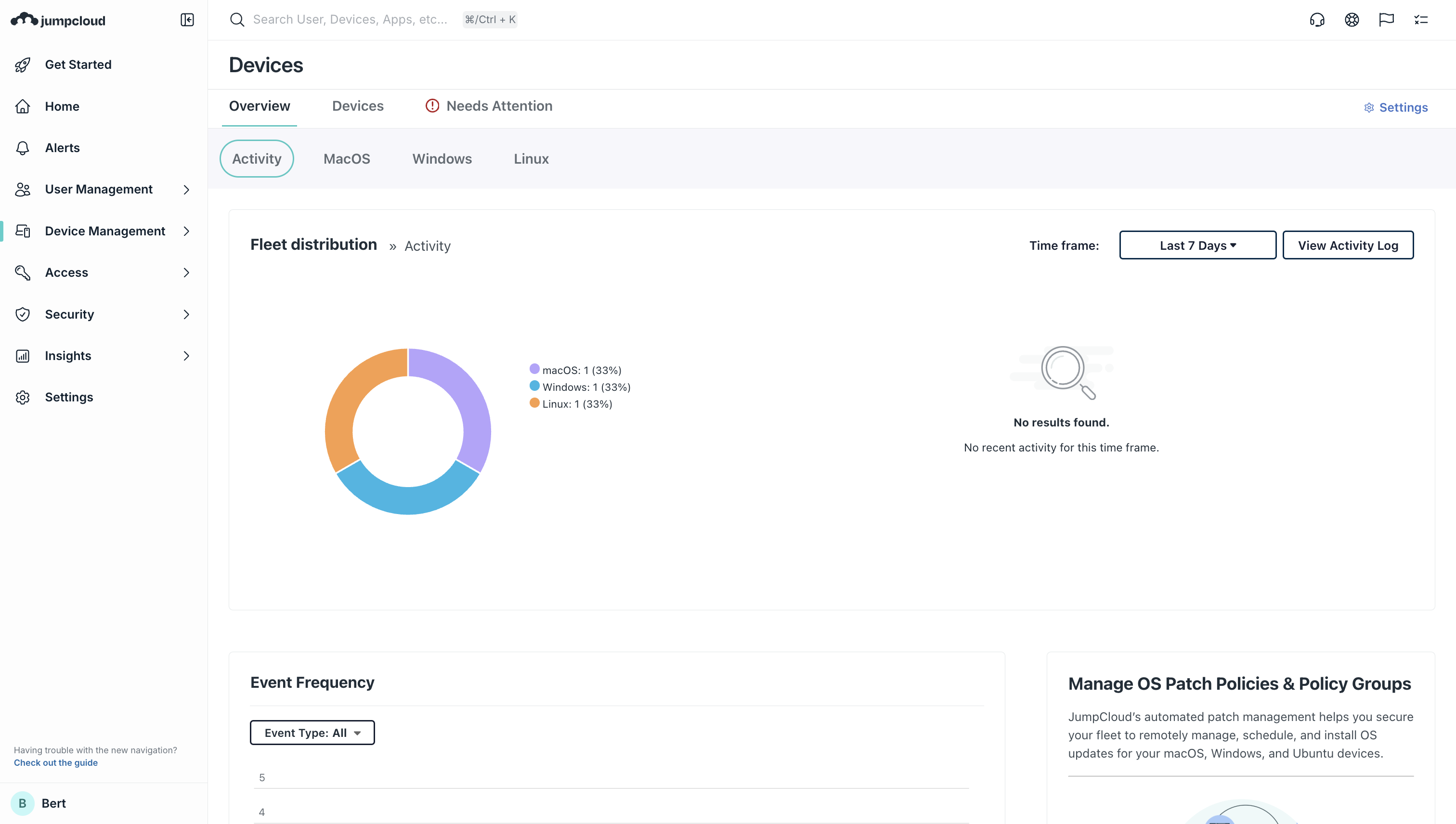
- Windows: Policy enforcement, patching, software deployment via Chocolatey, Microsoft Store, or custom MSI packages
- macOS: Zero-touch enrollment via Apple Business Manager integration, patch automation, App Store/custom package deployment
- Linux: Ubuntu patching, system configuration policies, package management
- iOS/iPadOS: Automated Device Enrollment, personal device support (User Enrollment), App assignment via Volume Purchase Plan
- Android: Enterprise Mobility Management enrollment, app deployment, security policies
Automated Patch Management & Vulnerability Remediation
Patch management represents one of JumpCloud UEM's most operationally consequential capabilities, addressing the reality that 60% of breach organizations had patches available but undeployed: the "patch gap". The platform centralizes patch visibility and orchestration across heterogeneous fleets.
Windows Patching
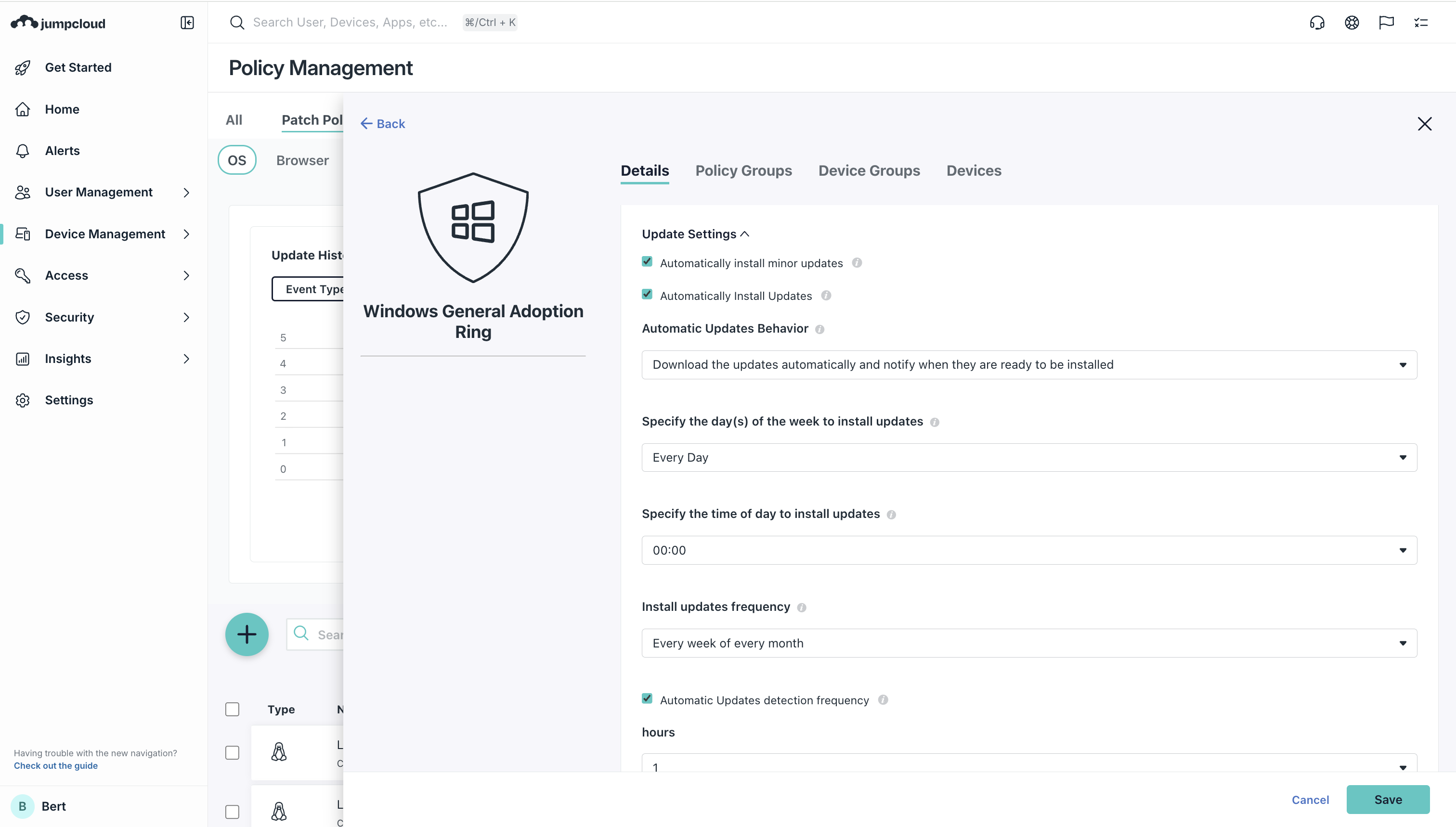
- Scheduled patch deployment with grace periods allowing users limited control over timing
- Automatic policy-driven updates with end-user notification workflows
- Configurable deferral settings preventing disruption to critical workflows
- Compliance reporting demonstrating patch currency to auditors
macOS Patching
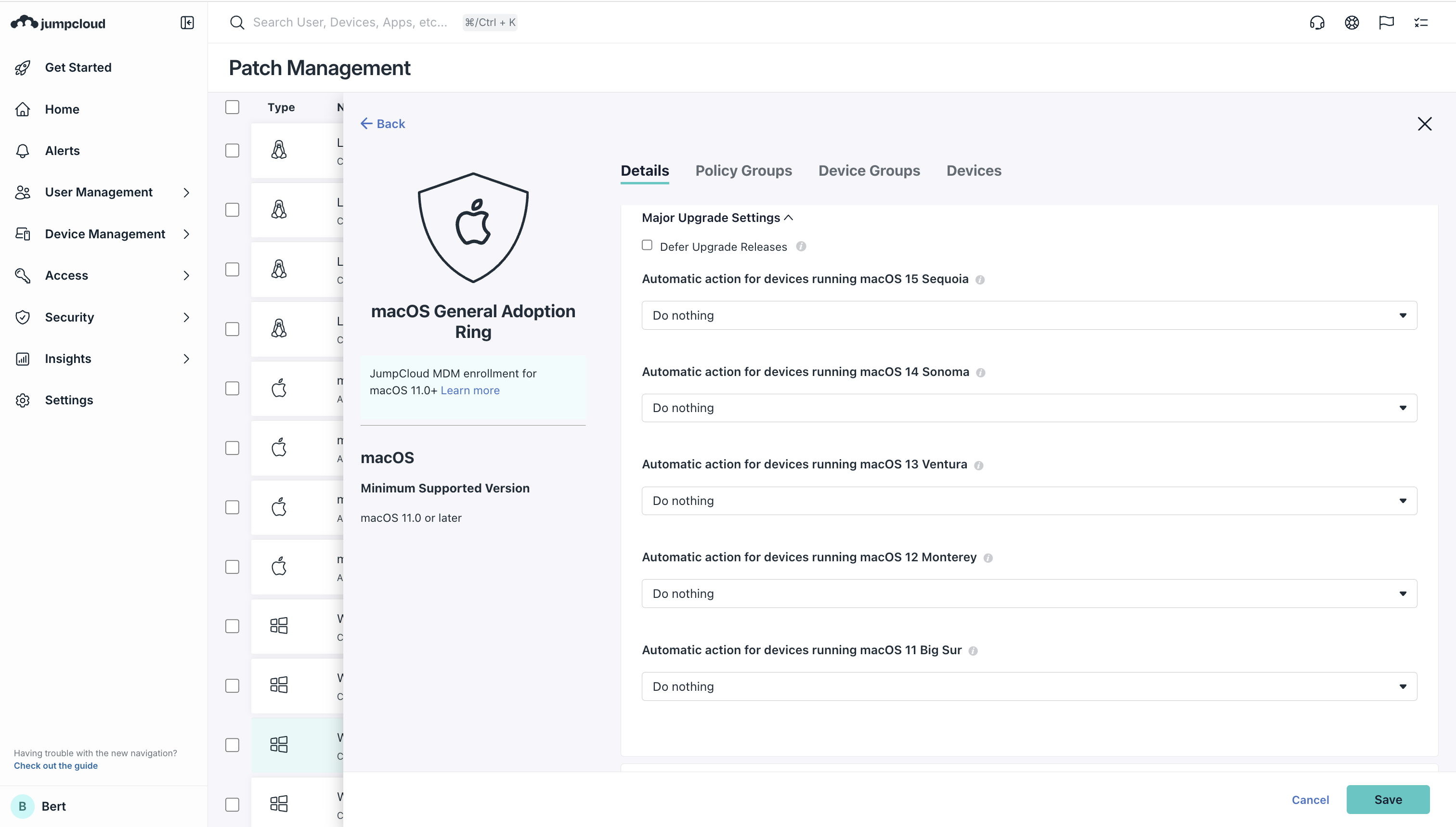
- Automatic update enforcement policies with user notification options
- Version train control (defer major OS upgrades while maintaining security patches)
- Binary-level patch visibility across fleet
- Integration with Apple security releases and beta patch schedules
Linux (Ubuntu) & Browser patching
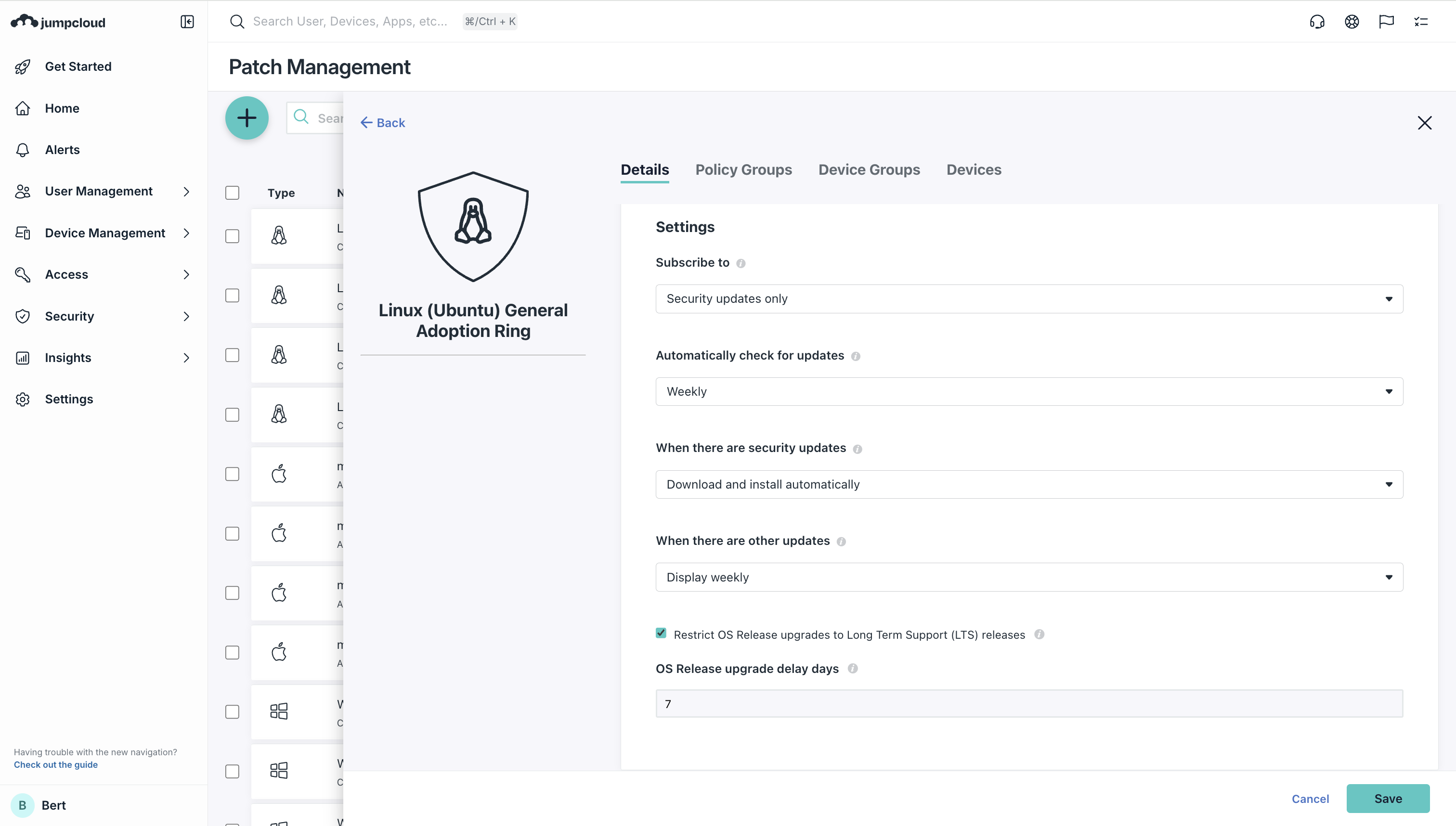
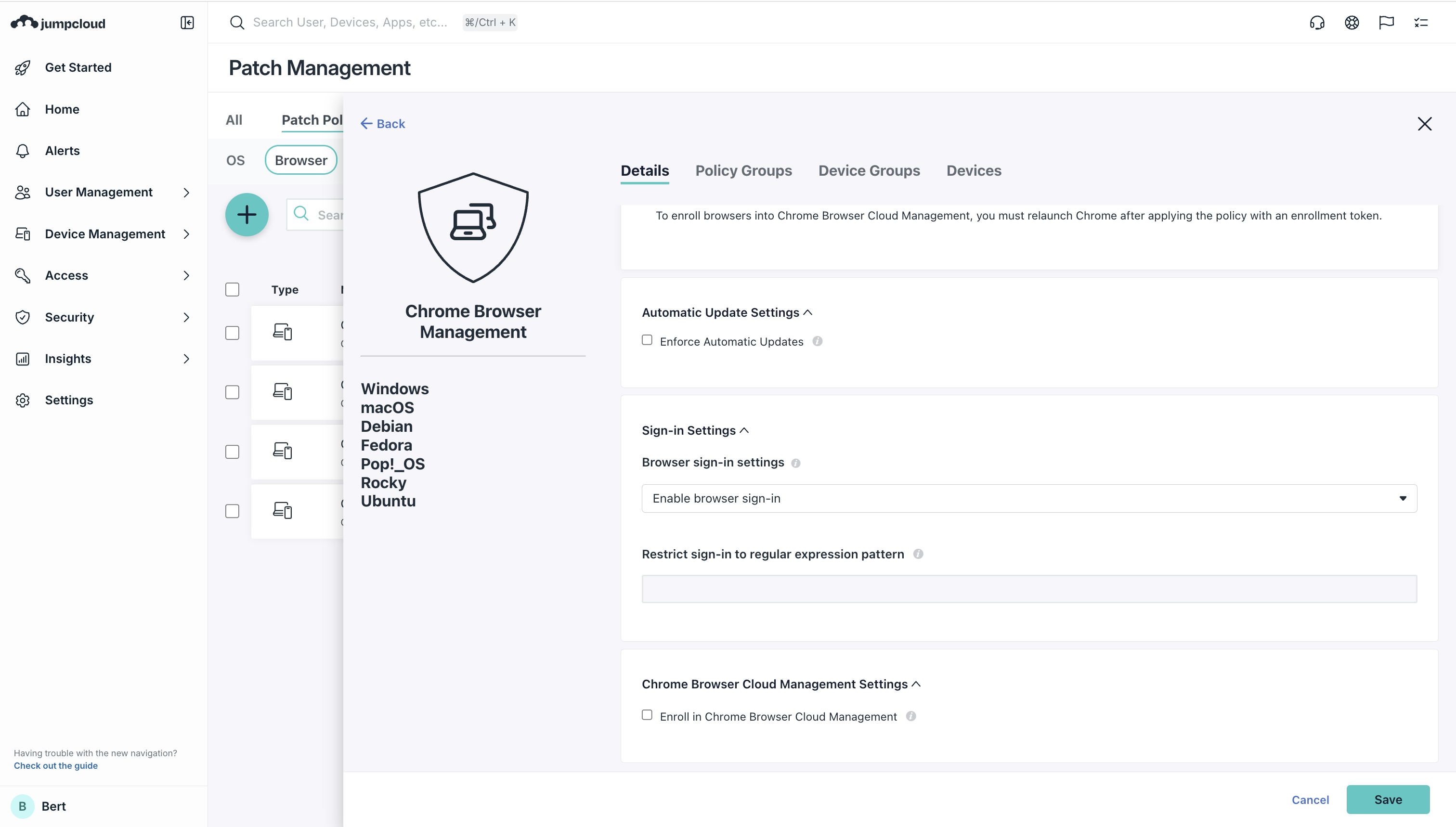
- OS-level patch automation for Ubuntu systems
- Browser patch automation (Chrome Enterprise integration)
- Application patch management (coming to platform)
- Compliance documentation for NIST and SOC2 frameworks
Operational impact: Organizations report elimination of manual patch tracking, 85-90% reduction in patch management administrative time, and standardized patching, cadences reducing vulnerability windows from months to days
Zero-Touch Enrollment and Automated Onboarding
Zero-touch deployment represents a transformational shift in device provisioning economics, compressing onboarding cycles from hours or days to approximately 15 minutes per device with minimal IT intervention
macOS Zero-Touch Enrollment
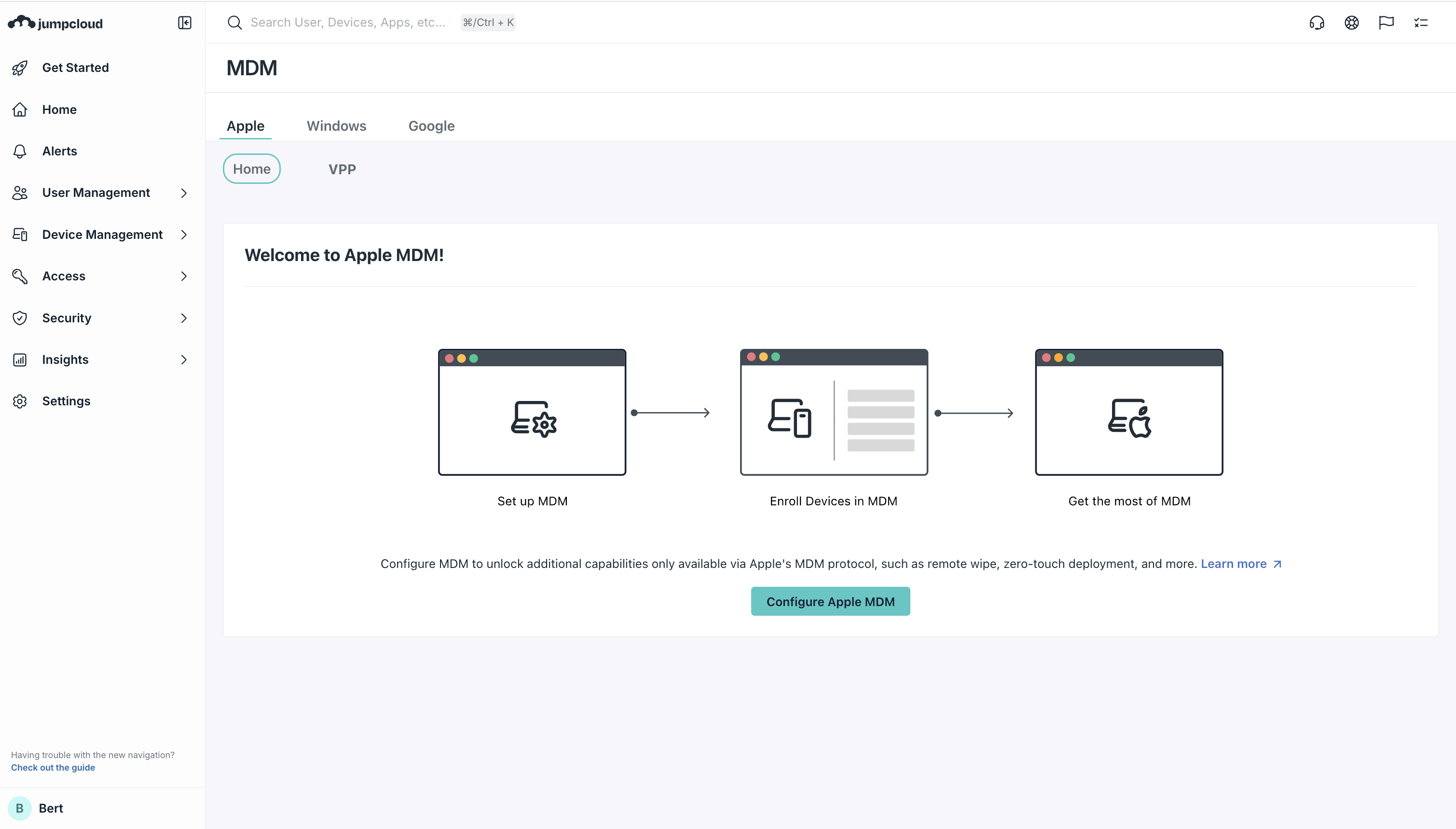
- Integration with Apple Business Manager (ABM) enables drop-shipped devices to automatically enroll
- Initial user login triggers device configuration, security application, and corporate resource access provisioning simultaneously
- No IT technician touch required; end-users unbox devices, authenticate with their JumpCloud credentials, and receive fully configured systems
- Custom enrollment workflows allow organizations to present specific setup screens before provisioning begins
Windows & Linux Onboarding
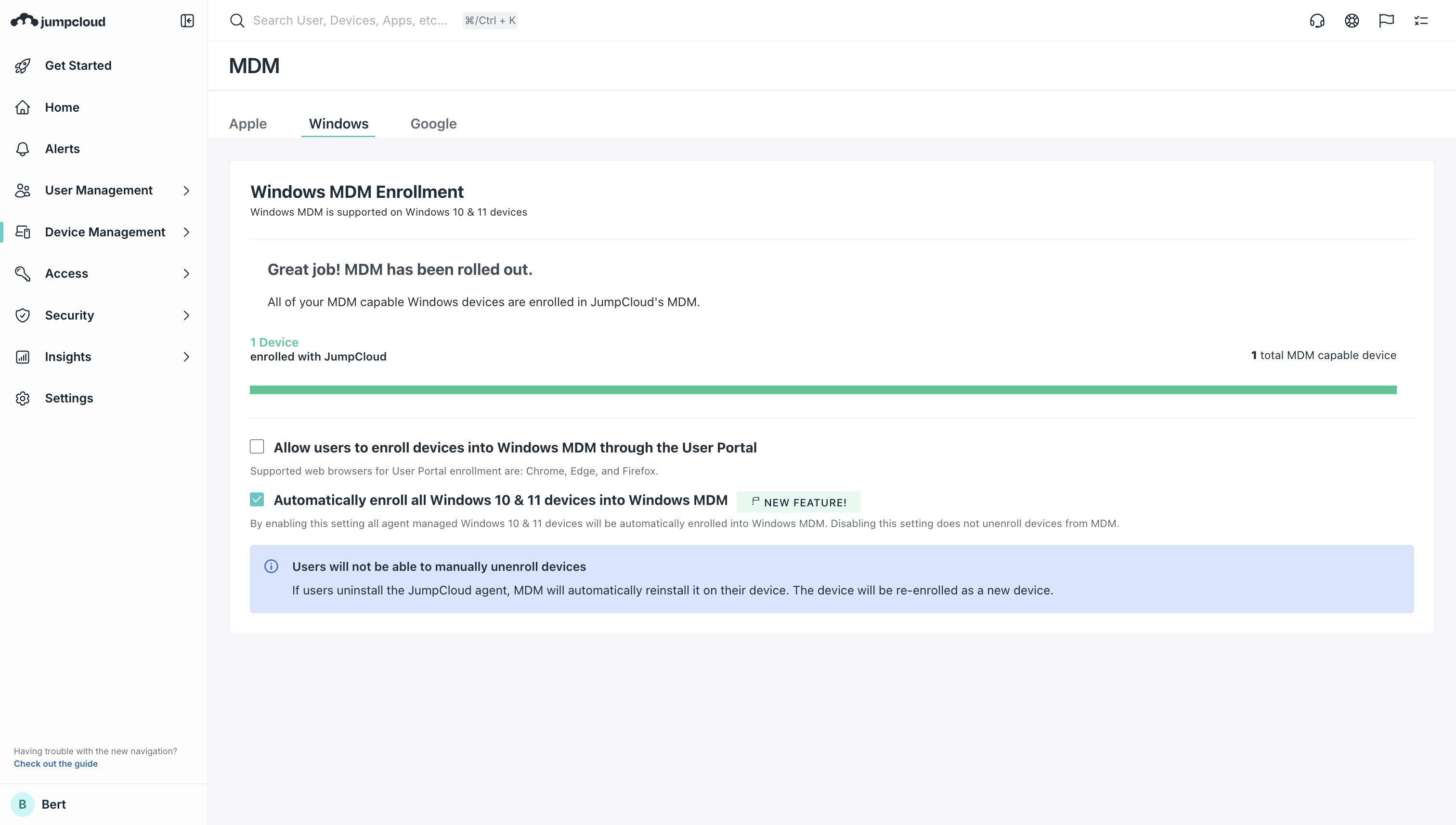
- Enrollment URL-based activation with minimal friction
- Automated policy application and software installation upon enrollment
- Support for both corporate-owned and BYOD scenarios with differentiated policy profiles
Business Impact: Accelerates time-to-productivity for new hires; eliminating manual imaging, configuration, and delivery workflows; reduces IT support tickets during employee onboarding; enables HR and management to provision devices without IT involvement in routine cases.
Mobile Device Management (MDM) with Company-Owned and BYOD Support
JumpCloud UEM's MDM capabilities address the operational reality that organizations must manage mixed device ownership models: company owned corporate devices and personally-owned accessing company resources.
Company-Owned Device Management
- Automated Device Enrollment (ADE) for company-owned Apple devices
- Full lifecycle control: remote wipe, remote lock, configuration enforcement
- Hardware inventory tracking and depreciation management
- OS update enforcement with configurable deferral periods
Personally-owned device support (BYOD)
- iOS/iPadOS User Enrollment allowing personal device management with user privacy protections
- Separate enrollment profiles isolating personal data from corporate management
- Conditional access policies restricting sensitive resource access to company-owned or compliant devices
- Selective wipe capabilities allowing recovery of corporate data without touching personal content
Application Management
- Volume Purchase Plan (VPP) integratoin for bulk app licensing through Apple Business Manager
- Automatic app assignment to device groups
- App update enforcement or deferral
- Custom app deployment via package files
Unified Software Deployment and Application Lifecycle Management
Historically, application deploymnet across heterogeneous OSes required multiple vendors or manual distribution. JumpCloud consolidates this into single-console workflows.
Windows Application Deployment
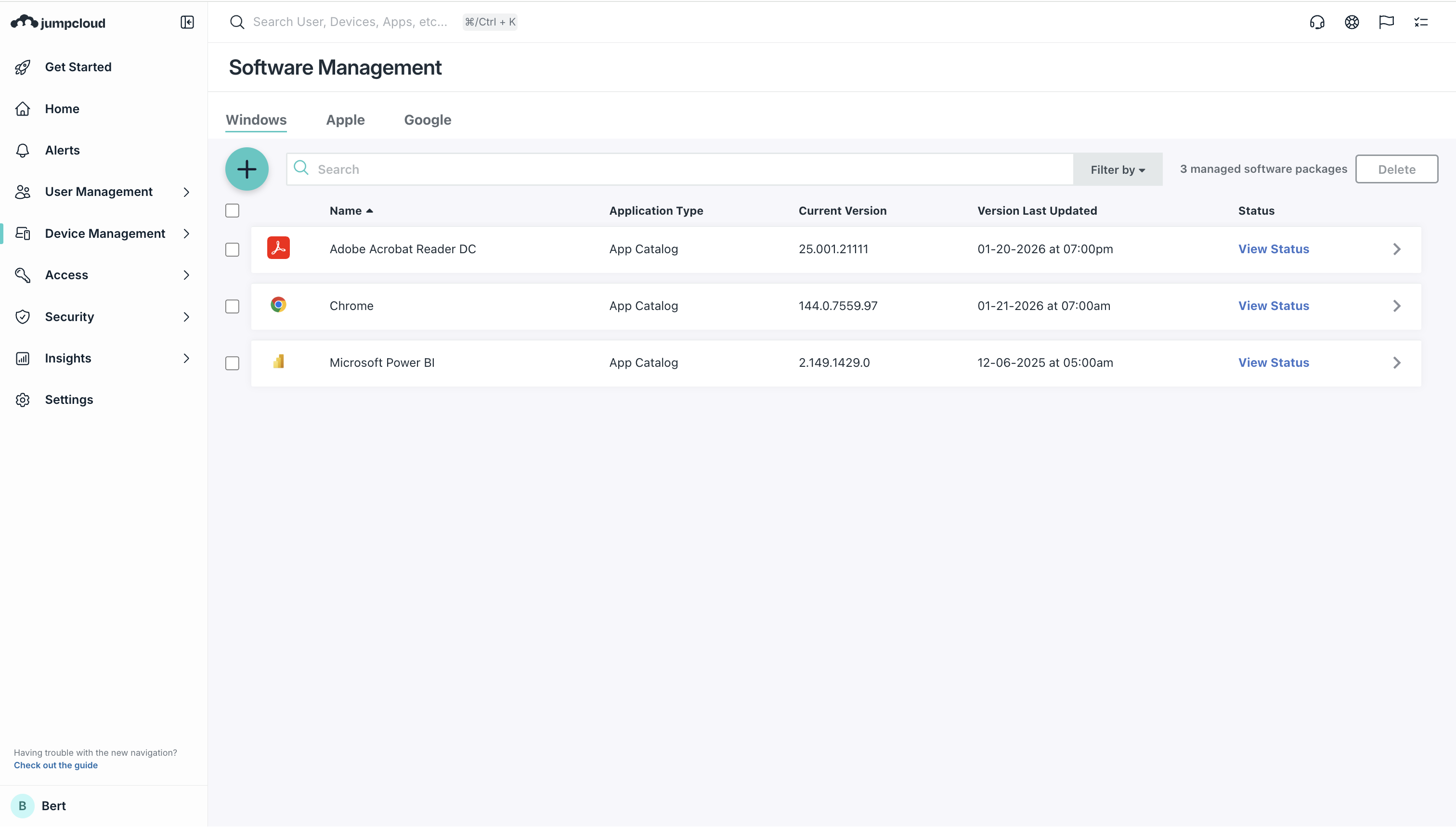
- Integration with Chocolatey public repository for third-party Windows applications (Firefox, VS Code, Slack, etc.)
- Microsoft Store integration for modern Windows applications
- Custom application deployment via MSI packages uploaded to JumpCloud's private software repository
- Command-line options configuration for customized installations
macOS Application Deployment
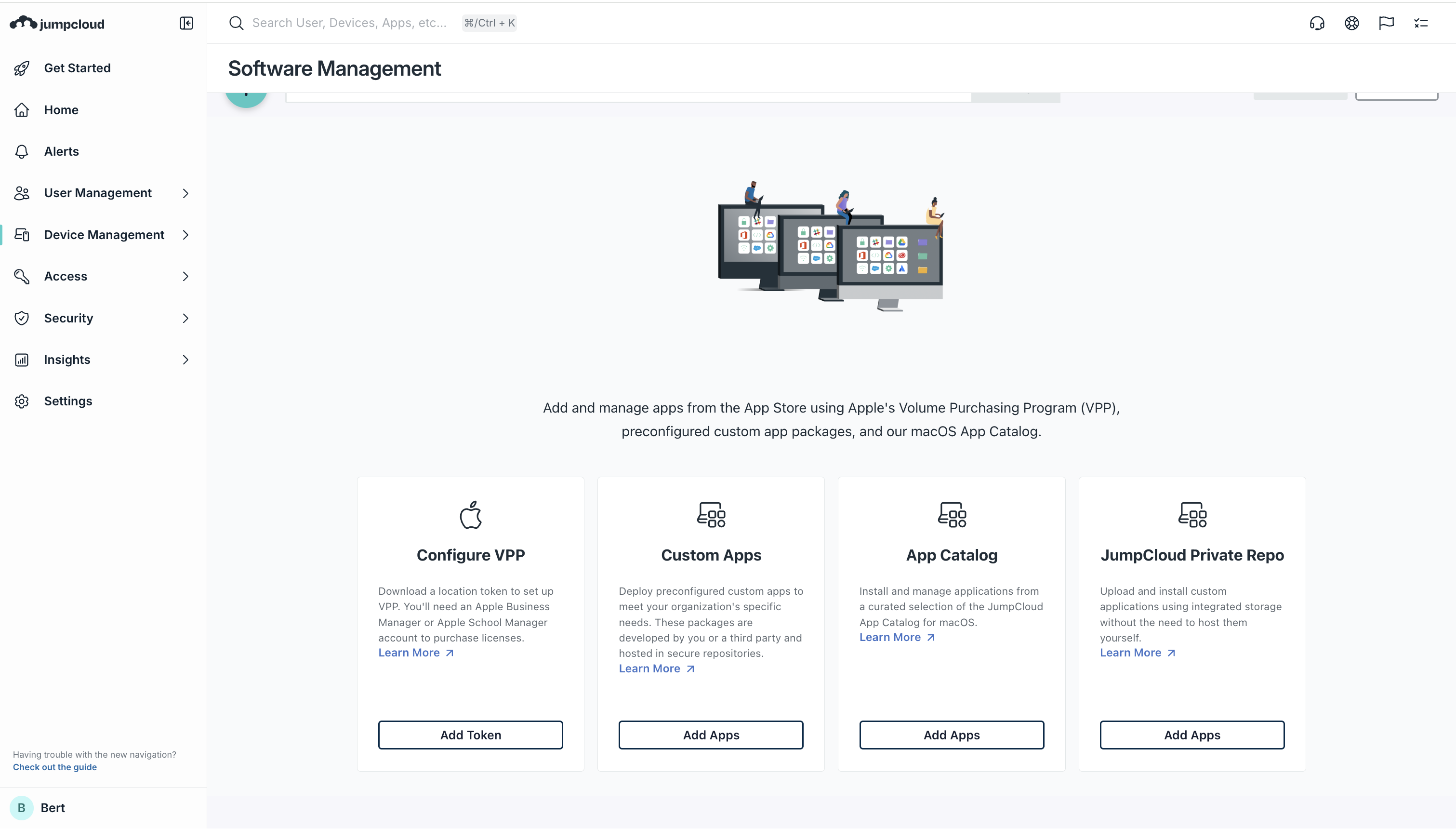
- Mac App Store integration with licensing and automatic updates
- Volume Purchase Plan (VPP) app assignment
- Custom PKG/DMG package hosting in private repository
- Third-party application catalog for curated deployments
Android Enterprise
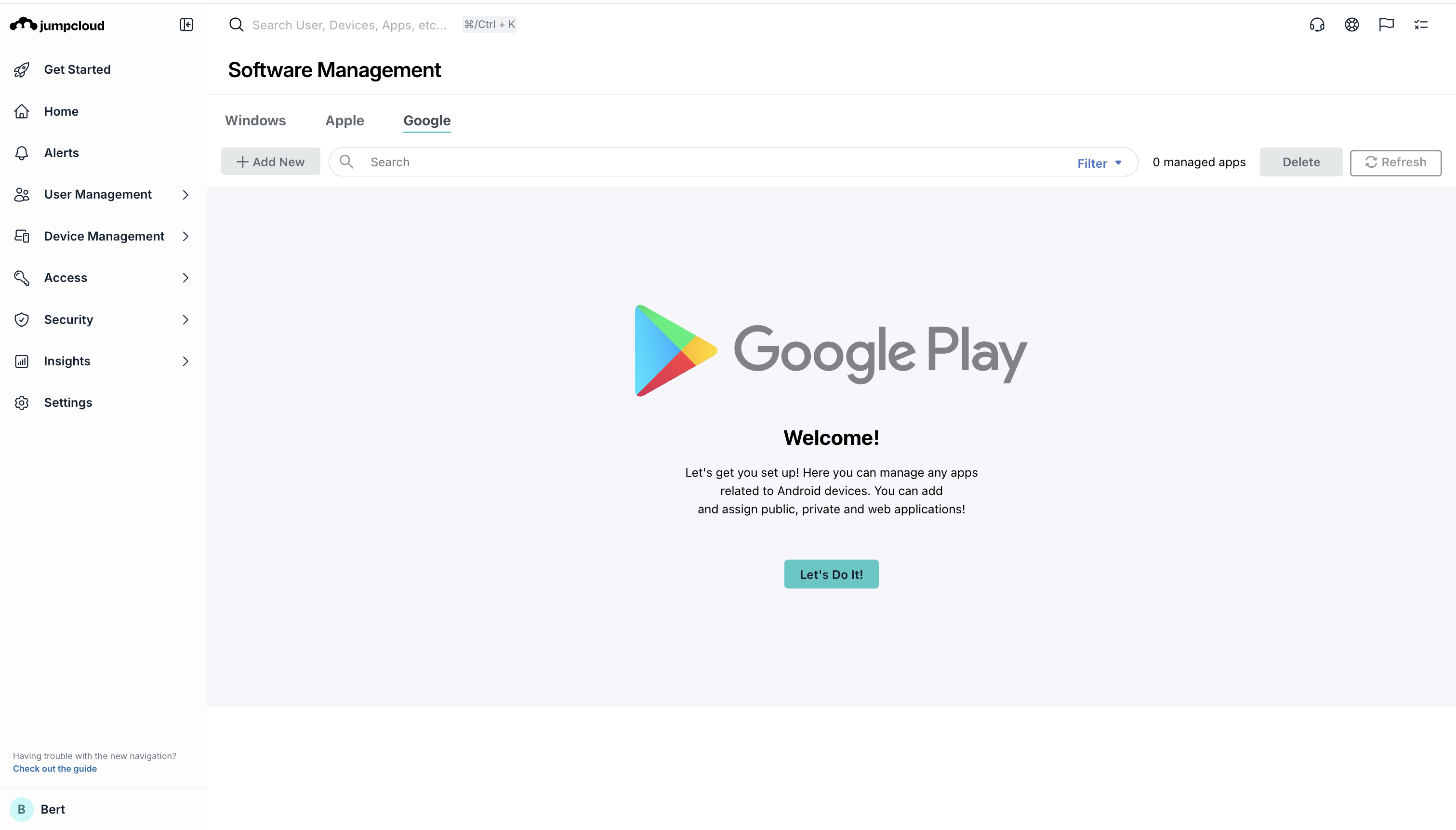
- App assignment from Google Play for Work
- Automatic app updates with deferral controls
- Mandatory app installation for compliance or functionality
Key Operational Benefit: Organizations eliminate need for separate application management solutions or manual distribution workflows, reducing support tickets and ensuring consistent application versioning across diverse endpoints
Remote Access and Assisted Troubleshooting
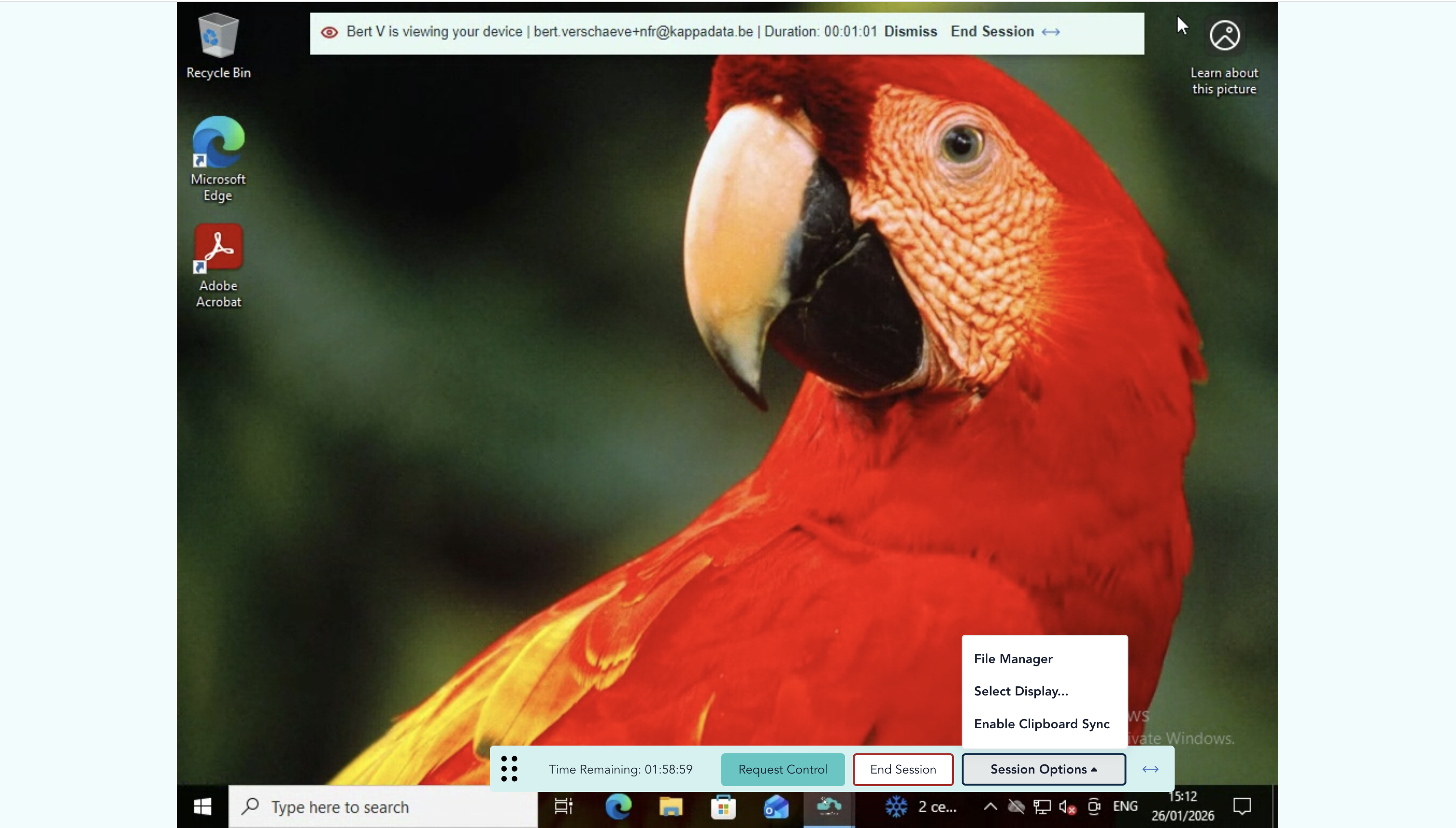
Remote Assist provides attended and unattended remote access to endpoints, enabling IT teams to troubleshoot, deploy configurations, and provide training without traveling to user locations or requiring user presence
Live Assist (Attended Access)
- Real-time screen sharing with full device control
- User consent prompts ensure visibility and control
- One-time access codes reduce friction while maintaining security
- Multi-monitor support (up to 6 screens) for complex workstations
Silent Assist (Unattended Access)
- Admins initiate remote sessions without user presence or intervention
- Enables after-hours updates, maintenance and troubleshooting
- Role-based access control determining which support staff can access which devices
- Full audit logging of all remote sessions for compliance
Technical Architecture
- Peer-to-peer connections with end-to-end encryption
- Unique session keys preventing session hijacking
- Direct device-to-admin connections eliminate proxy infrastructure
- Clipboard synchronization (clipboard content sharing between remote and local devices)
Operational impact:
- Reduces mean-time-to-resolution (MTTR) for end-user issues
- Eliminates geographic constraints on support
- Enables unattended maintenance windows
- Provides audit trail for compliance investigations
Identity-first conditional access and Zero Trust Implementation
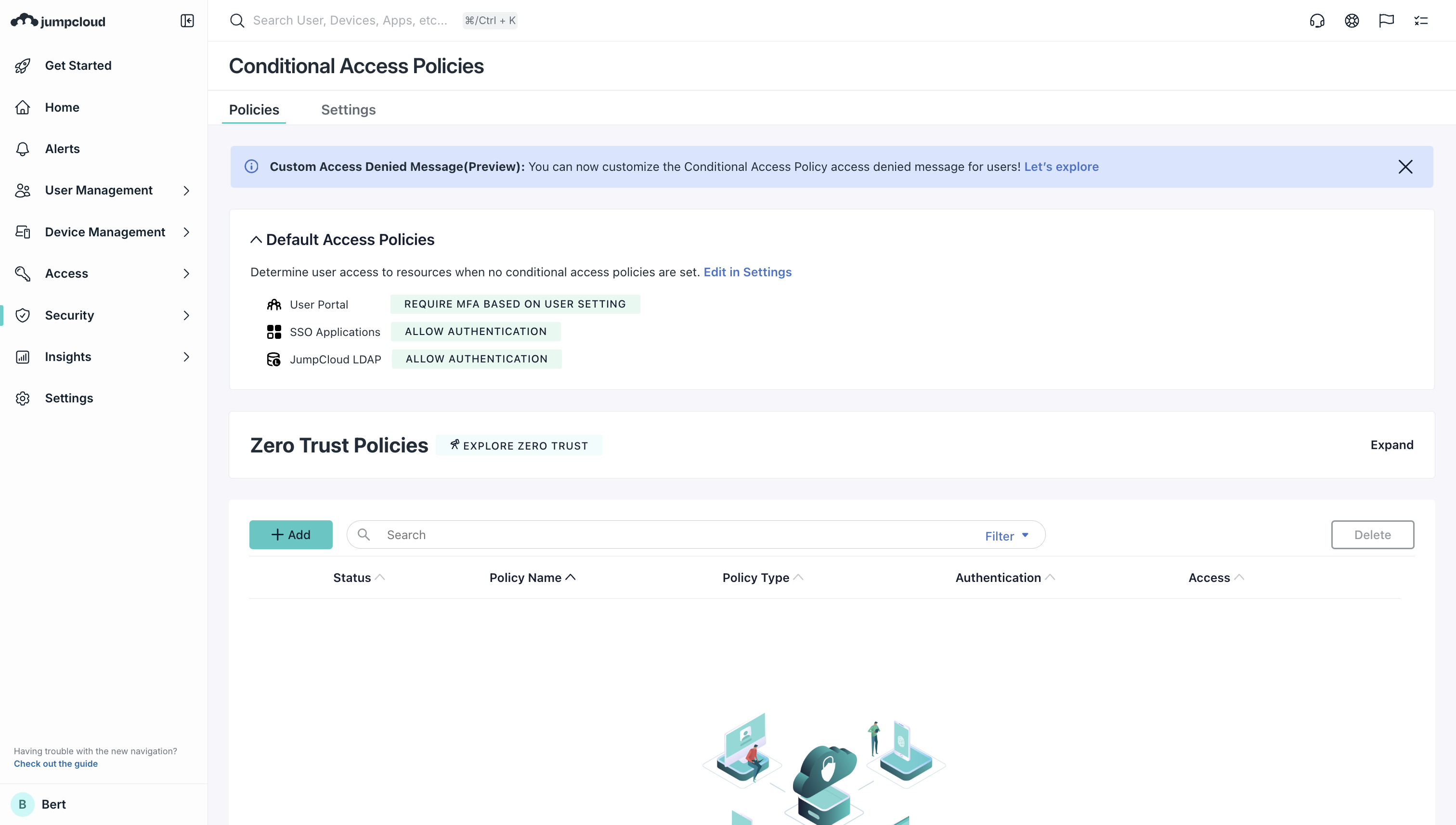
Conditional Access policies represent the operational implementation of Zero Trust architecture: verifying users, devices and network context before granting access to critical resource
Device Trust Controls
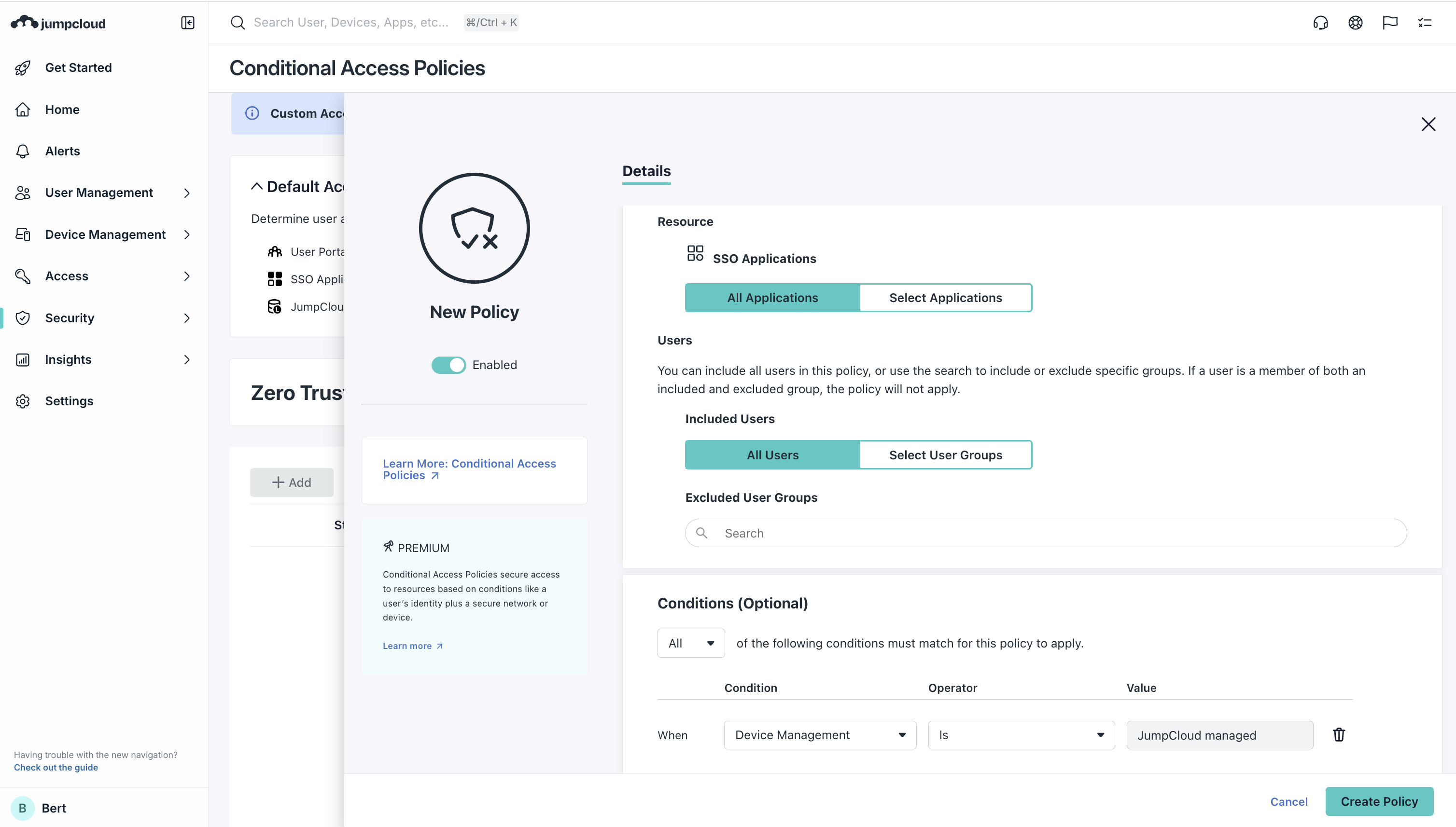
- Policies restrict sensitive resource access only to devices managed by JumpCloud
- Security posture verification (full disk encryption status, firewall enablement, patch recency)
- Managed device requirement for access to confidential data applications
Network Trust Controls
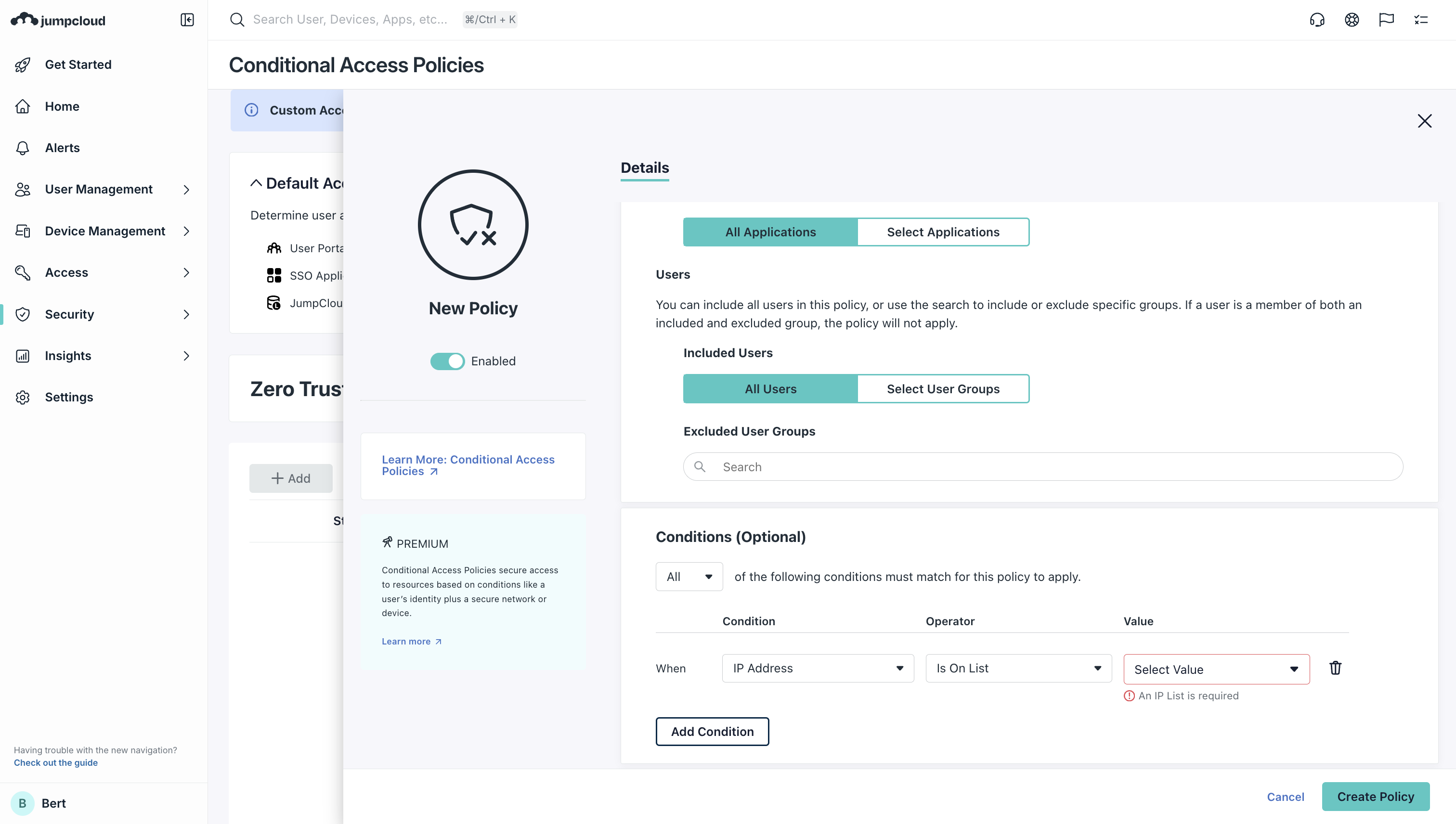
- IP list-based access restrictions confining access to corporate networks or specific geographic regions
- VPN requirement enforcement for remote access to sensitive applications
- Integration with corporate security appliances and network architecture
Authentication Factor Controls
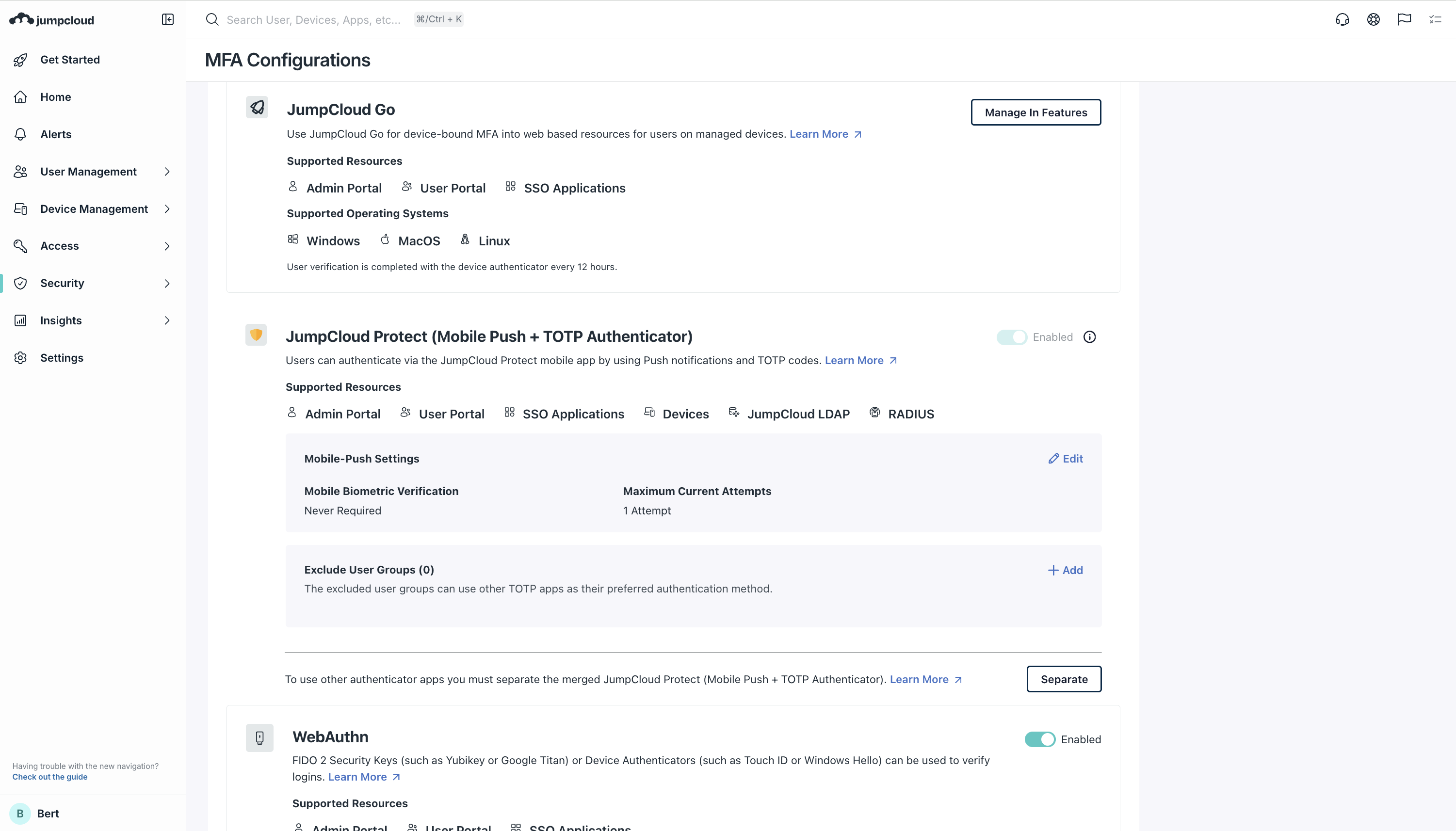
- Multi-factor authentication (MFA) requirement enforcement
- Hardware authenticator support (FIDO2 keys, Windows Hello, Apple Touch ID)
- Biometric authentication for frictionless passwordless access
Policy Application Scope
- Fine-grained targeting to specific user groups
- Application-level granularity restricting different apps to different trust conditions
- Time-based access controls (business hours enforcement, after-hours lockdown)
Implementation Path: Organizations can implement Zero Trust incrementally: starting with device trust for high-value applications, then expanding to network trust and elevated MFA requirements as security maturity increases
JumpCloud Go: Phishing Resistant Passwordless Authentication
JumpCloud Go represents a transformational shift from knowledge-based authentication (passwords) to possession-based and inherence-based (biometric) authentication, eliminating an entire category of breach vector
Technical Foundation
- Hardware-backed token storage in device secure enclaves (Apple Secure Enclave on macOS, TPM on Windows)
- Device-bound authentication preventing credential reuse across devices
- Biometric verification (Touch ID, Windows Hello, Face ID) unlocking authentication without password entry
User Experience
- Seamless access to corporate resources (SaaS applications, file servers, on-premises services) via device biometric
- Elimination of password management fatigue and MFA prompt repetition
- Single credential serving all resource access scenarios
Security Properties
- Phishing-resistant by cryptographic design; attackers cannot harvest reusable credentials
- Device compromise does not expose credentials reusable elsewhere
- Hardware protection prevents software-level credential extraction
System Insights and Hardware Asset Management
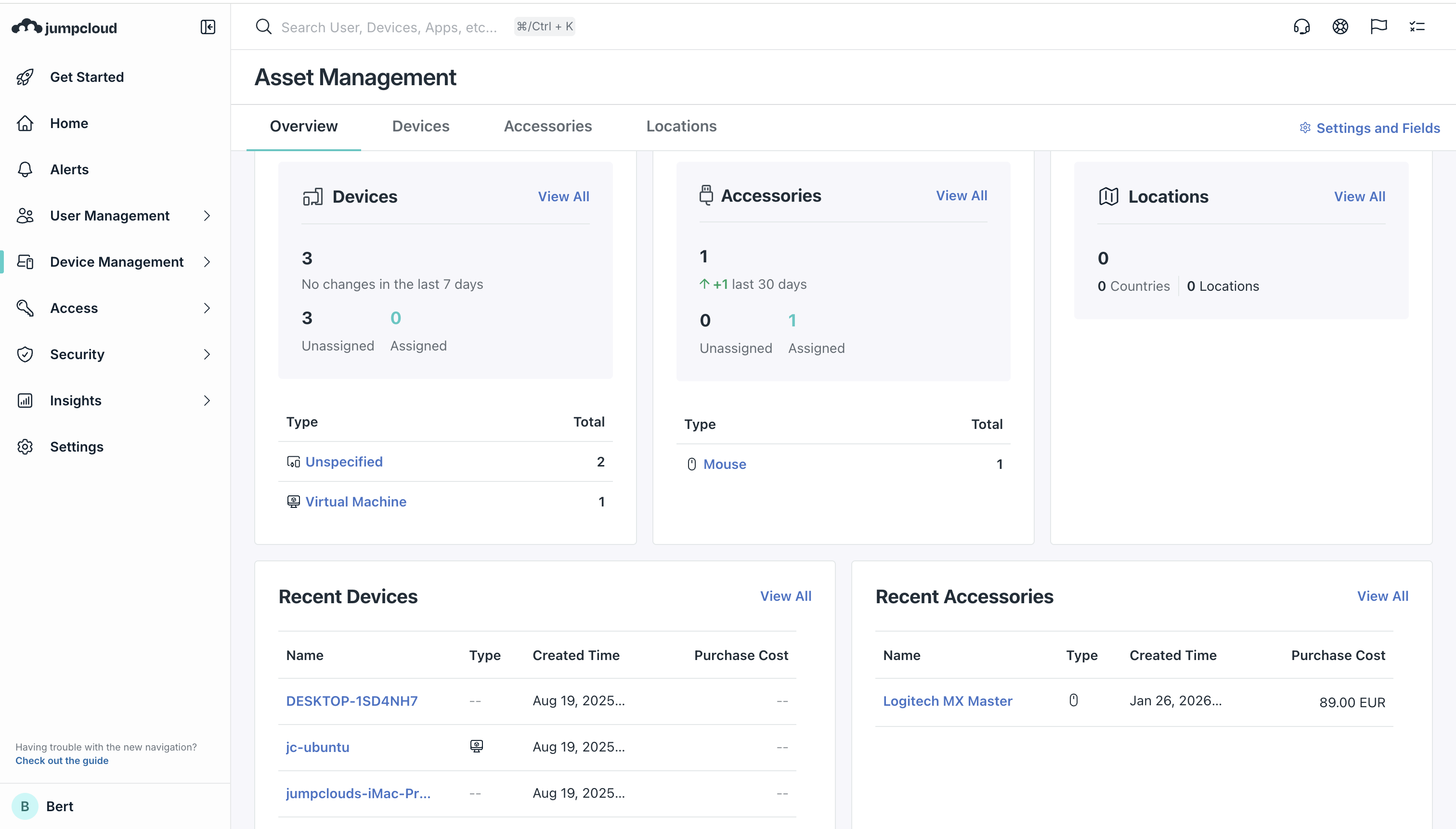
JumpCloud Asset Management, recently released (September 2025), extends UEM beyond device control into comprehensive asset lifecycle and financial management
Automated Asset Discovery
- JumpCloud-managed devices automatically sync into asset inventory
- Hardware specifications captured (CPU, RAM, storage, network configuration)
- OS version, patch status, and security configuration state recorded
- Automatic updates reflecting device lifecycle changes (new enrollments, decommissions)
Unmanaged Asset Tracking
- CSV bulk import for devices outside JumpCloud management (printers, network appliances, vendor equipment)
- API integration with procurement systems and asset databases
- Manual asset creation for heterogeneous IT infrastructure
Lifecycle Management
- Custom status workflows reflecting organizational processes (In Stock --> Assigned --> In Repair --> Reditred --> Disposed)
- Automatic status transitions based on JumpCloud device management state
- Historical change tracking with audit trail (who changed what, when)
- Warranty and maintenance tracking with invoice attachment
Financial Optimization
- Asset depreciation tracking for accounting purposes
- Cost per device analysis enabling budget optimization
- Replacement schedule planning based on lifecycle data
- Vendor spend analysis across device types
Compliance Integration
- Immutable change audit trail proving asset accountability
- Device assignment tracking linking hardware to users
- Decommissioning workflows ensuring data sanitization
Business impact:
- Organizations eliminate spreadsheet-based asset tracking
- Gain real-time visibility into hardware spending
- Optimize fleet refresh cycles
- Demonstrate accountability to finance and compliance functions
Multi-Factor Authentication (MFA) and Device-Level Security Policies
JumpCloud enforces security policies at both identity and device layers, creating defense-in-depth architecture
Device-Level MFA
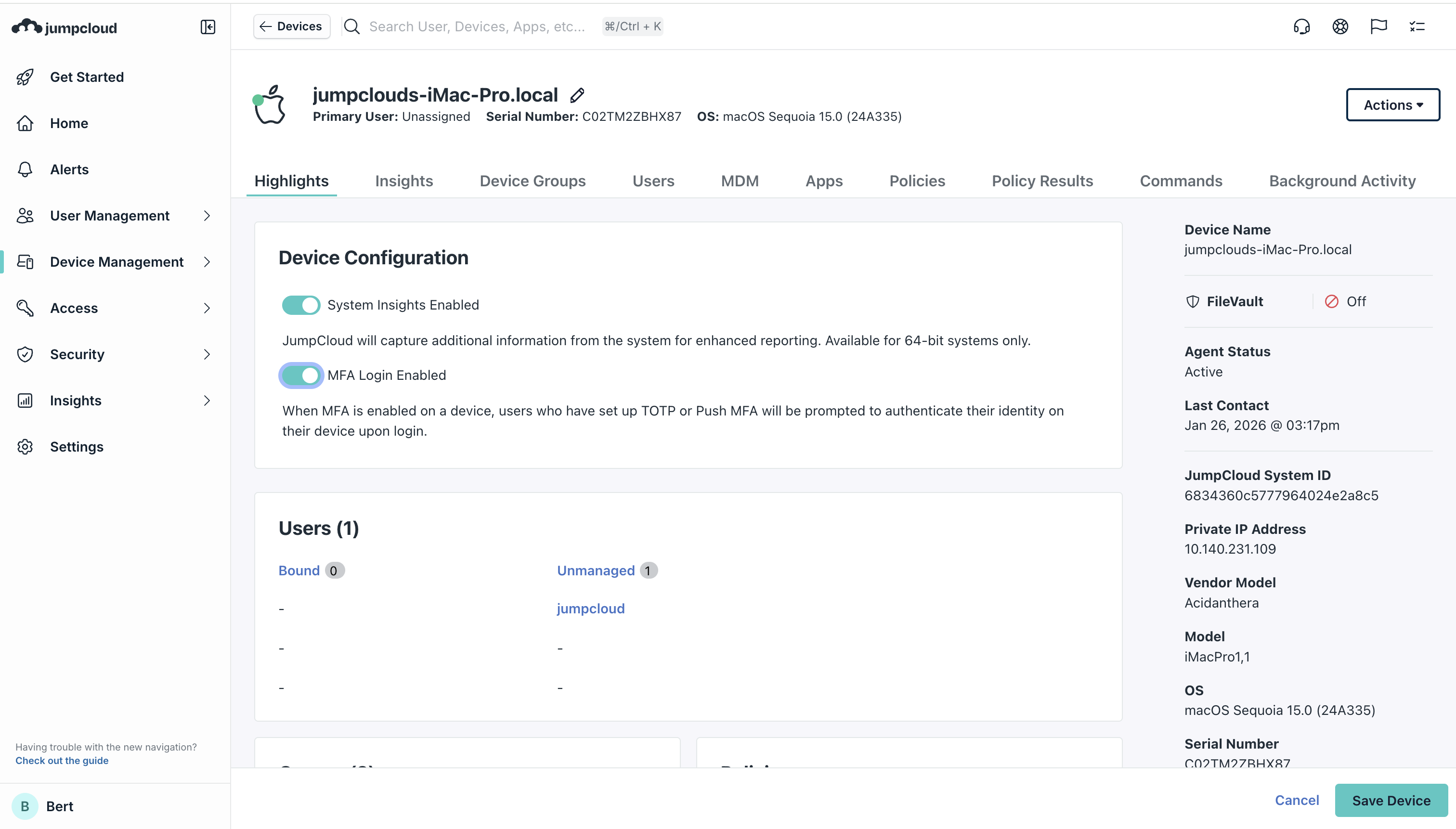
- MFA enforcement at device login, not just cloud application access
- Support for TOTP tokens, push notifications, hardware authenticators, and biometrics
- Shared device scenarios with per-user MFA requirements
System Security Policies
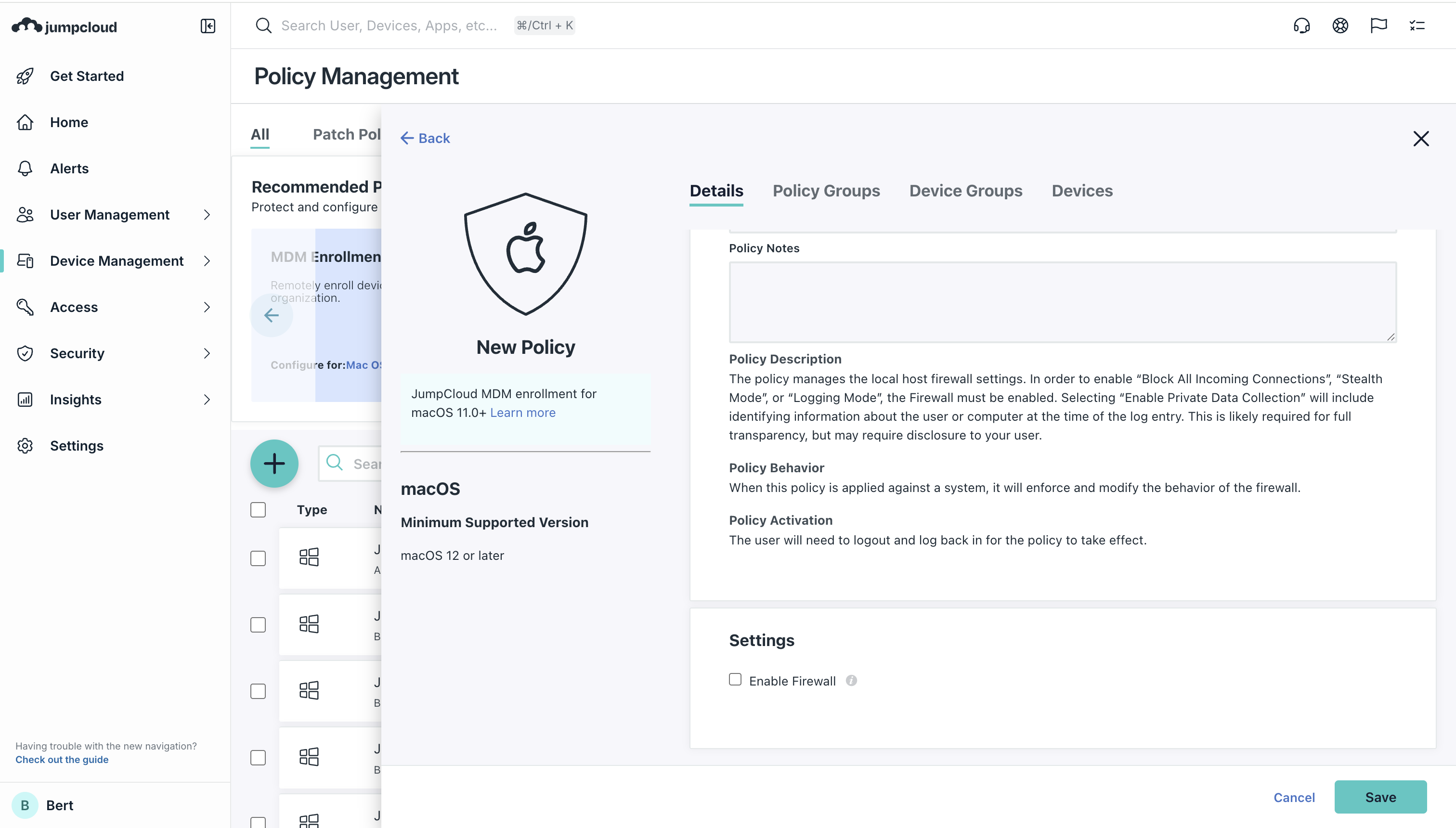
- Full disk encryption enforcement with recovery key management
- Firewall activation and rule enforcement
- Guest account disablement
- Automatic lock screen after inactivity
- App Store access restrictions
- Local administrator account controls
Monitoring and Alerting
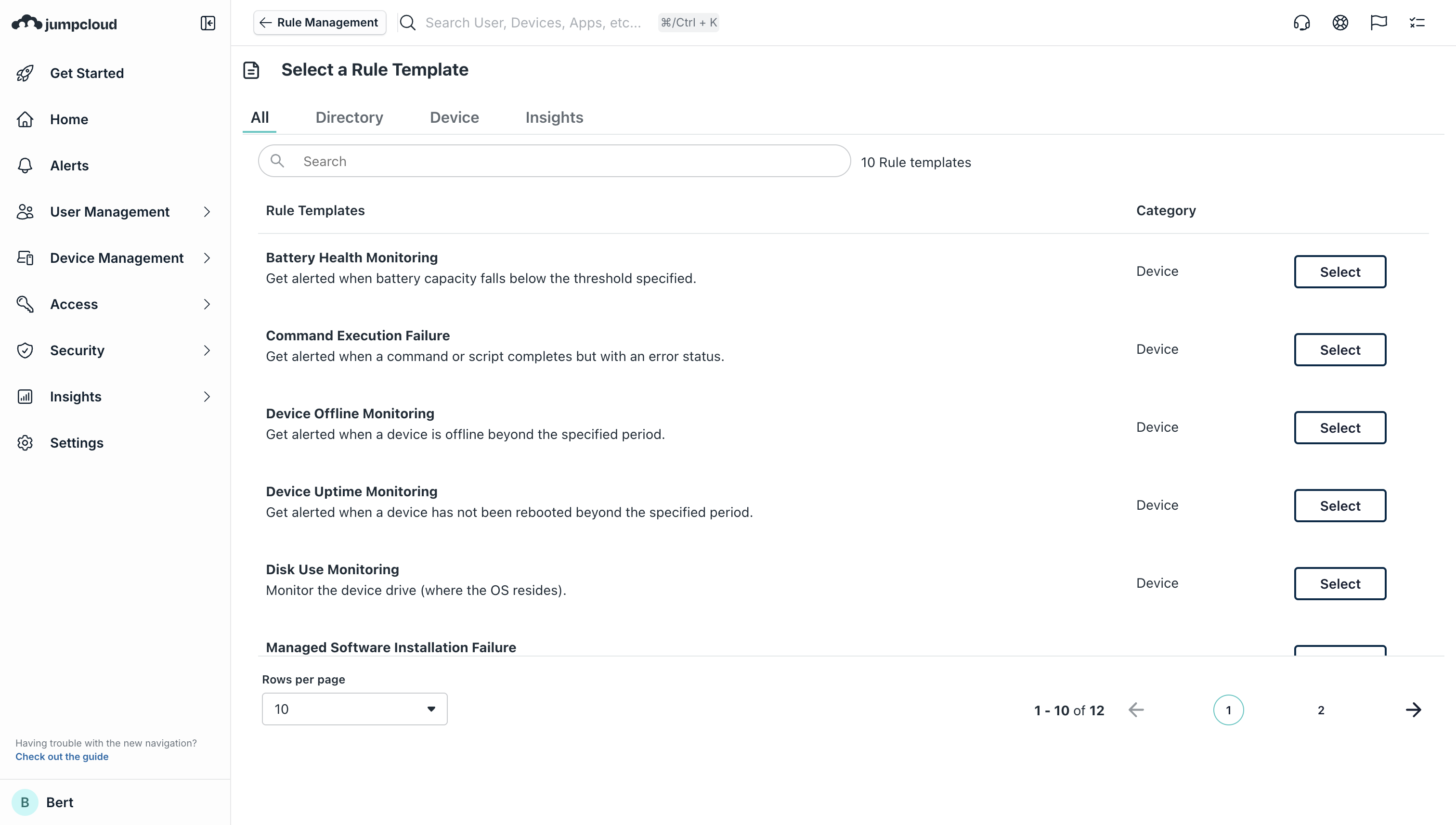
- Real-time device health monitoring
- Alerts on policy non-compliance (unencrypted disk, outdated OS, etc)
- Proactive remediation workflows
Multi-Tenant Portal for Managed Service Providers
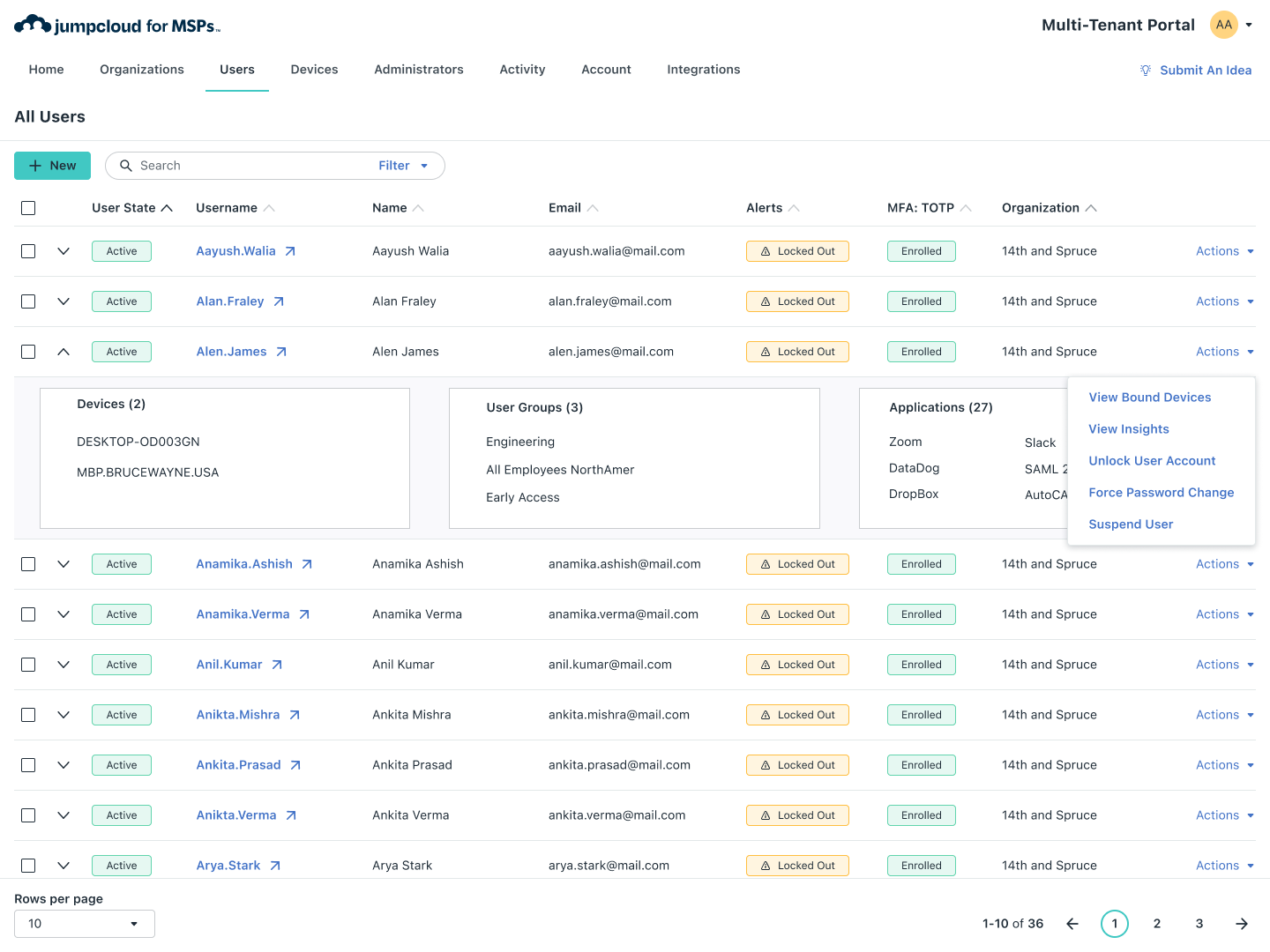
The Multi-Tenant Portal (MTP) enables MSPs and cloud service providers to manage hundreds of client organizations from a single console without logging into each client's separate admin portal
Single-Pane-of-Glass Management
- High-level organizational metrics visible across entire client base
- Quick-luanch capability to individual client organizations for detailed management
- Aggregated user and device counts
- Centralized alert dashboard
Operational Features
- Unified policy templates deployable across multiple organizations
- Centralized billing and usage tracking
- PSA integration for automated ticketing
MSP-Specific Capabilities
- Admin role-based access control for technicians
- Granular customer separation ensuring tenant isolation
Market Position: MSPs using JumpCloud report 6x lower TCO when consolidating security, identity, and device management into single platform vs managing separate point solutions for each capability
Conclusion
JumpCloud Unified Endpoint Management represents a fundamental repositioning of endpoint management architecture away from enterprise-first, Windows-centric designs toaward cloud-native, heterogeneous, identity-integrated platforms optimized for organizations that operate in distributed, multi-OS environments
For SMBs and mid-market organizations, JumpCloud UEM solves a critical market gap: the need for institutional-grade device management, compliance automation, and security policy enforcement without the operational complexity and cost infrastructure of enterprise solutions. The platform's explicit targeting of IT generalists: professionals wearing multiple hats, manifests in carefully calibrated feature prioritization, intuitive UI design, and operational simplicity that reduces mean-time-to-value.
The platform's strategic strenghts lie in three dimensions.
- First, cross-platform fluency: Organizations no longer choose between Widnows standardization or management complexity; JumpCloud trats macOS, Linux, Windows, iOS and Android as equally capable citizens.
- Second, identity-first architecture: By unifying directory services, access management and device control in a single console, organizations elmiminate the traditional boundary between "IAM" and "endpoint management", enabling seamless conditional access policies that verify user, device and network context holistically.
- Third, operational simplicity: Zero-touch enrollment, automated patching, integrated asset management, and passwordless authentication reduce administrative overhead by 85-90% compared to point-solution approaches, enabling IT teams to shift from operational firefighting to strategic initiatives.
The low-hanging fruit for JumpCloud UEM adoption consits of:
- Organizations replacing on-premises Active Directory
- Managing heterogeneous OS fleets
- Supporting distributed workforces
- Leveraging Google Workspace as their identity hub, or
- Operating within regulated industries requiring compliance automation.
MSPs serving SMBs represent particularly strong unit economics, as JumpCloud's Multi-Tenant Portal consolidates management of hundreds of client organizations while integrating with billing and ticketing systems.
As organizations increasingly operate in cloud-first, borderless, multi-device environments where traditional network perimeters dissolve, JumpCloud UEM's positioning as a cloud-native, identity-centric alternative to legacy endpoint management architecture will continue driving adoption among SMBs and mid-market segments prioritizing agility and operational efficiency over enterprise feature comprehensiveness.